Table of Contents
- Credit Card Processing for Small Business Online: Core Components Explained
- Choosing the Right Provider for Credit Card Processing for Small Business Online
- Understanding the Fee Structure in Credit Card Processing for Small Business Online
- Interchange Fees vs. Processor Mark‑ups
- Additional Costs to Watch Out For
- Security and Compliance: Keeping Your Transactions Safe
- Practical Steps to Ensure PCI‑DSS Compliance
- Optimizing the Checkout Experience for Higher Conversions
- Key Tips to Reduce Cart Abandonment
- Integrating Credit Card Processing for Small Business Online with Existing Tools
- Popular Integrations to Consider
- Cost‑Saving Strategies for Small Business Owners
- Negotiate Your Rates
- Encourage Low‑Cost Payment Methods
- Monitor and Reduce Chargebacks
- Real‑World Example: From Setup to Scaling
- FAQs About Credit Card Processing for Small Business Online
- Do I need a separate merchant account?
- Can I accept international cards?
- Is it safe to store card information for recurring billing?
- What’s the difference between a payment gateway and a processor?
- How quickly will the funds appear in my bank account?
Running a small business in today’s digital world means you can’t afford to ignore online payments. Even a modest storefront can see a massive boost when customers can pay with a credit card on a website or through a mobile app. But the world of credit card processing for small business online is riddled with jargon, fees, and security concerns that can overwhelm anyone new to it.
Fortunately, you don’t need a Ph.D. in finance to get it right. By breaking down the process into clear steps—choosing the right provider, understanding the fee structure, ensuring compliance, and optimizing for conversion—you’ll be able to offer a smooth checkout experience without draining your profit margin.
Whether you’re launching a brand‑new ecommerce site or adding a payment button to your existing WordPress blog, this guide walks you through everything you need to know about credit card processing for small business online, from the basics to advanced tips that can save you money and protect your customers.
Credit Card Processing for Small Business Online: Core Components Explained
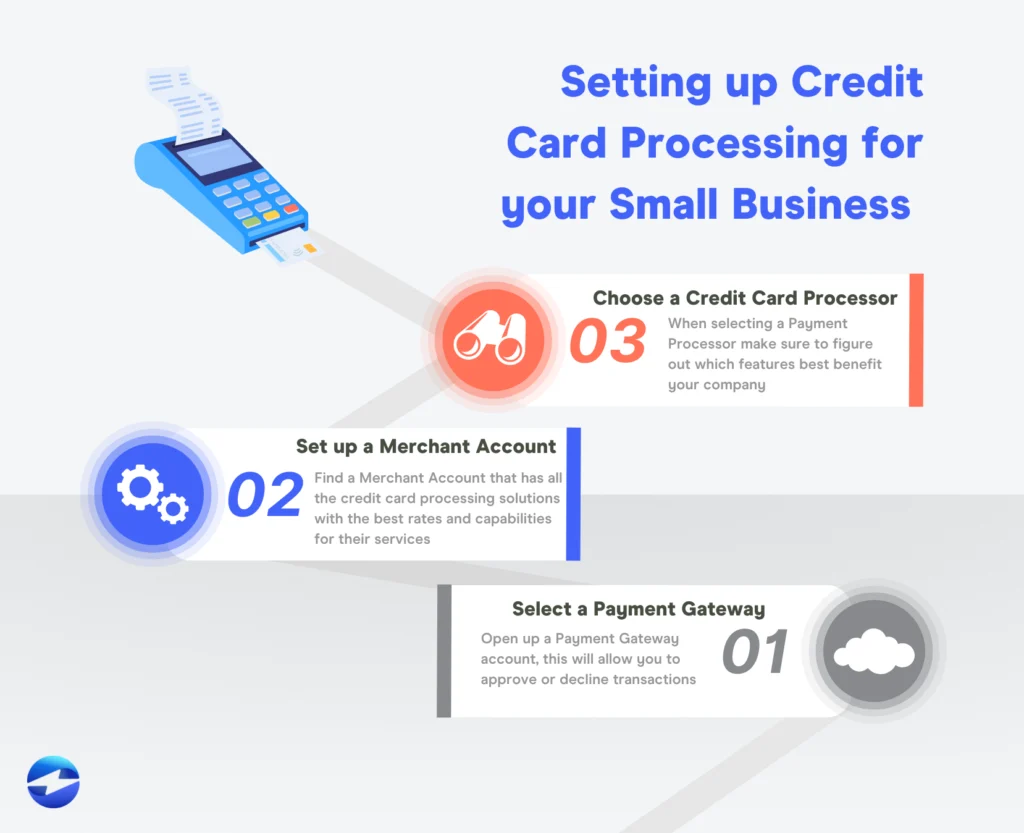
Before you dive into the details, let’s demystify the core components that make up credit card processing for small business online. Understanding each piece will help you compare providers and choose a solution that aligns with your budget and growth plans.
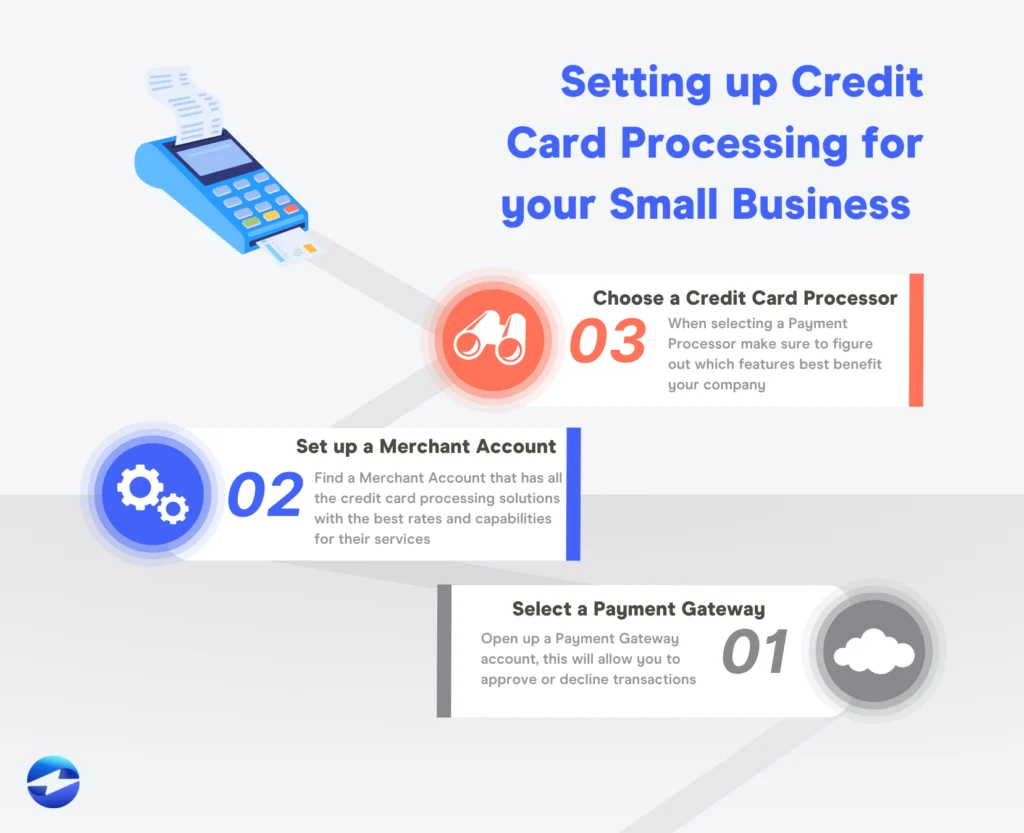
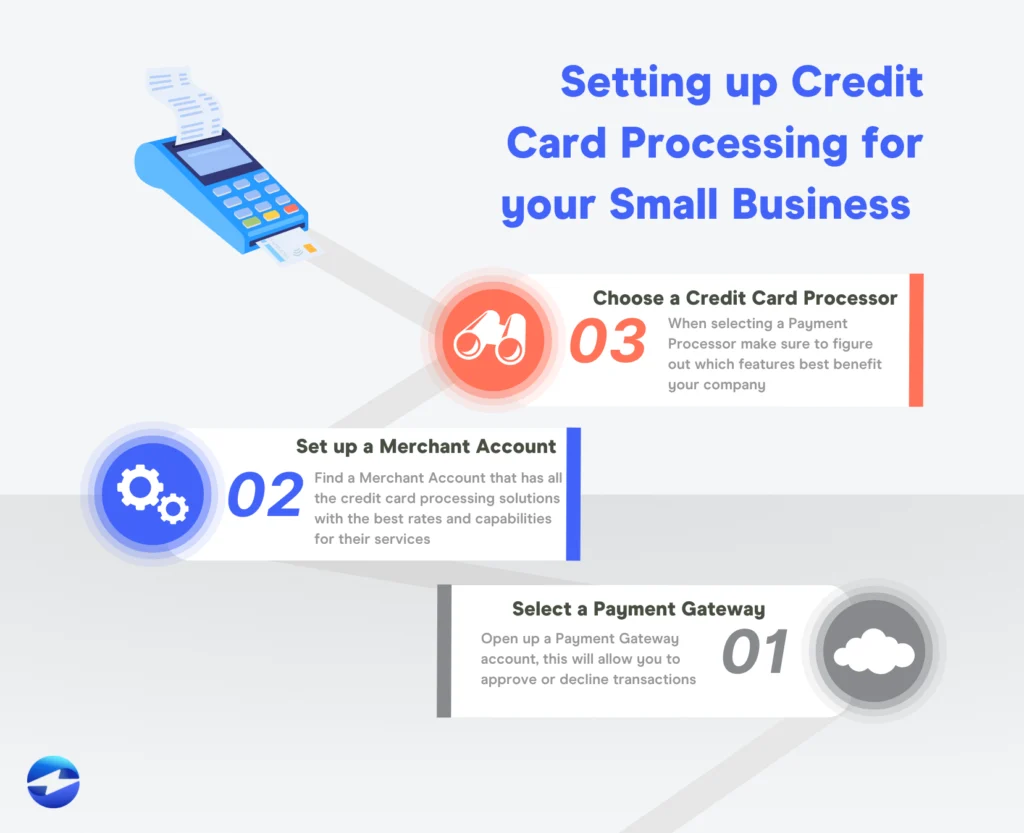
- Payment Gateway: The technology that securely transmits the customer’s card data from your site to the payment processor.
- Merchant Account: A type of bank account that holds the funds after the transaction is authorized, before they’re deposited into your business bank account.
- Payment Processor: The company that handles the actual communication with the card networks (Visa, Mastercard, etc.) to complete the transaction.
- PCI‑DSS Compliance: Security standards you must follow to protect cardholder data and avoid costly fines.
Choosing the Right Provider for Credit Card Processing for Small Business Online
Not all payment gateways are created equal. When evaluating options, keep the following criteria in mind:
- Setup Costs & Monthly Fees: Some providers charge a flat monthly fee plus per‑transaction rates, while others operate on a pure pay‑as‑you‑go model.
- Transaction Rates: Look for transparent pricing—typically a blend of a percentage (e.g., 2.9%) plus a fixed cent amount (e.g., $0.30) per transaction.
- Integration Flexibility: Does the gateway offer plugins for popular platforms like Shopify, WooCommerce, or Squarespace?
- Customer Support: 24/7 live chat or phone support can be a lifesaver when you encounter a hiccup during peak sales.
- Security Features: Tokenization, end‑to‑end encryption, and built‑in fraud detection tools are must‑haves.
Popular choices for small businesses include Stripe, Square, PayPal Business, and Authorize.Net. Each offers a slightly different mix of fees and features, so run a quick cost calculator based on your average ticket size and monthly volume.
Understanding the Fee Structure in Credit Card Processing for Small Business Online
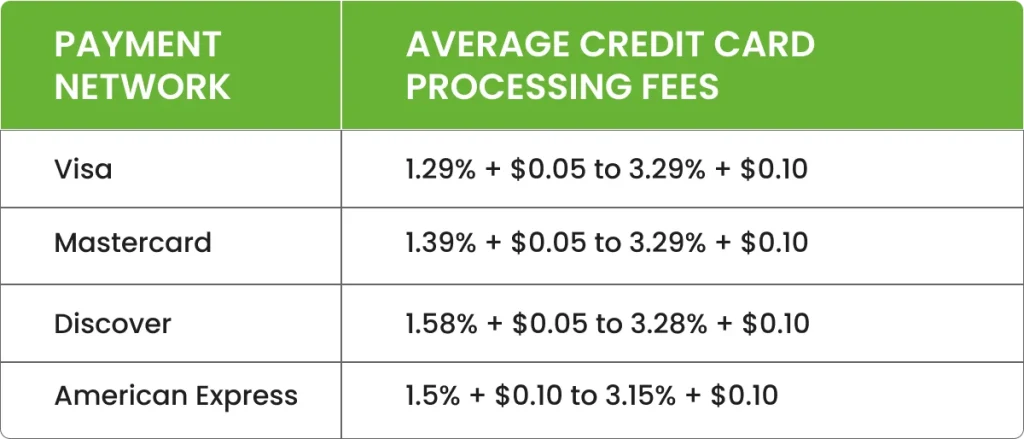
Fees are the biggest source of confusion for entrepreneurs. Let’s break them down so you can see exactly where your money goes.
Interchange Fees vs. Processor Mark‑ups
Interchange fees are set by the card networks and vary by card type (rewards vs. standard) and transaction method (online vs. in‑person). Processors add a mark‑up on top of these fees to cover their services. For example, a typical online transaction might look like this:
- Interchange fee: 1.8% + $0.10
- Processor markup: 0.5% + $0.20
- Total: 2.3% + $0.30 per transaction
Knowing the breakdown helps you negotiate with providers or switch to a plan that better fits your volume.
Additional Costs to Watch Out For
- Monthly Minimums: Some processors require you to hit a minimum fee each month (e.g., $25). If you fall short, you’ll be billed the difference.
- Chargeback Fees: When a customer disputes a transaction, you’ll typically pay $15‑$25 per chargeback, plus any associated loss of the sale.
- Gateway Setup or Upgrade Fees: One‑time fees for advanced features like recurring billing or multi‑currency support.
By tracking these costs in a simple spreadsheet, you’ll quickly see which provider gives you the best net margin.
Security and Compliance: Keeping Your Transactions Safe
Security isn’t optional—it’s a legal requirement. When you handle credit card data, you’re subject to the Payment Card Industry Data Security Standard (PCI‑DSS). Non‑compliance can result in hefty fines and even loss of the ability to process cards.
Practical Steps to Ensure PCI‑DSS Compliance
- Use a **tokenized** gateway that never stores raw card numbers on your servers.
- Enable **HTTPS** with a valid SSL certificate on every page that collects payment information.
- Maintain a **secure, updated** e‑commerce platform and regularly apply security patches.
- Perform **regular vulnerability scans**—many gateways include this as part of their service.
If you’re unsure where to start, many processors provide a “Hosted Payment Page” that offloads the compliance burden entirely. The customer is redirected to the processor’s secure page, and you never touch the card data.
Optimizing the Checkout Experience for Higher Conversions
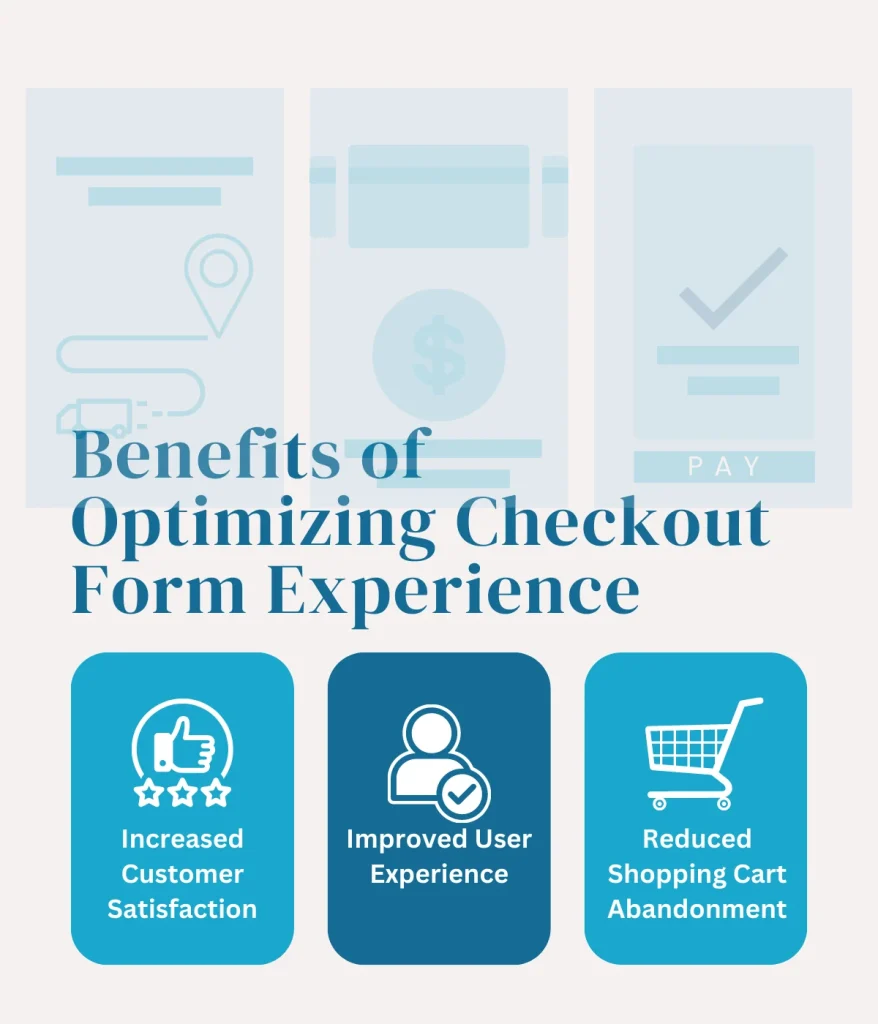
Even the most affordable credit card processing for small business online won’t help if customers abandon their carts. A smooth, trustworthy checkout can boost conversion rates by 10‑30%.
Key Tips to Reduce Cart Abandonment
- One‑Page Checkout: Reduce friction by minimizing the number of fields and steps.
- Multiple Payment Options: Offer credit cards, PayPal, Apple Pay, and Google Pay to cater to different preferences.
- Clear Pricing & Shipping: Show all costs upfront to avoid surprise fees at the final step.
- Security Badges: Display PCI compliance and SSL lock icons to reassure shoppers.
- Mobile‑Friendly Design: Ensure buttons are large enough for touch and forms are auto‑filled where possible.
Testing different layouts (A/B testing) can reveal which design tweaks deliver the biggest lift for your specific audience.
Integrating Credit Card Processing for Small Business Online with Existing Tools
Most small businesses already use accounting software, CRM platforms, or inventory management tools. The right payment processor should sync seamlessly with these systems, reducing manual data entry and errors.
Popular Integrations to Consider
- QuickBooks Online: Automatic transaction imports help reconcile sales without extra effort.
- Shopify & WooCommerce: Built‑in plugins let you enable Stripe or PayPal with a few clicks.
- Zapier: Connect your gateway to hundreds of apps—send new sales to a Google Sheet, trigger email receipts, or update inventory.
When evaluating a gateway, ask about API access and available plugins. A robust API can future‑proof your business as you add new sales channels.
Cost‑Saving Strategies for Small Business Owners
Even a modest reduction in processing fees can add up quickly. Here are proven tactics to keep more of your hard‑earned revenue.
Negotiate Your Rates
If you process at least $5,000‑$10,000 a month, most providers will be willing to negotiate a lower percentage or waive certain fees. Come prepared with your transaction volume data and be ready to switch if the offer isn’t competitive.
Encourage Low‑Cost Payment Methods
While credit cards dominate, debit cards and ACH transfers (direct bank payments) often carry lower interchange fees. Offer a discount for customers who choose these alternatives—many retailers see a 1‑2% shift in payment mix.
Monitor and Reduce Chargebacks
Implement clear refund policies, use address verification (AVS), and employ fraud detection tools. The fewer chargebacks you incur, the lower the associated fees.
Real‑World Example: From Setup to Scaling
Consider Maya, owner of a boutique handmade‑jewelry shop. She started with a simple PayPal button on her Instagram shop, but as orders grew, she needed a more robust solution. By switching to Stripe, Maya gained:
- A custom checkout page that matches her brand.
- Automatic daily payouts to her business checking account.
- Integration with QuickBooks Online, eliminating manual entry.
- Access to advanced fraud tools, reducing chargebacks by 30%.
Within six months, her monthly processing volume increased from $2,000 to $12,000, and after negotiating a lower rate, her average fee dropped from 3.2% to 2.7% per transaction—saving her over $500 a year.
FAQs About Credit Card Processing for Small Business Online
Do I need a separate merchant account?
Many modern processors (e.g., Stripe, Square) bundle the merchant account and gateway together, simplifying setup. However, if you prefer a traditional merchant account, you’ll need to partner with a bank or a third‑party processor.
Can I accept international cards?
Yes, but be aware of higher cross‑border fees (often an extra 1‑2%). Choose a provider with multi‑currency support if you ship worldwide.
Is it safe to store card information for recurring billing?
Never store raw card numbers on your servers. Use tokenization offered by your gateway, which replaces the card data with a secure token you can reuse for future charges.
What’s the difference between a payment gateway and a processor?
The gateway is the “front door” that captures card data securely, while the processor is the “back office” that talks to the card networks to move money.
How quickly will the funds appear in my bank account?
Most online processors settle funds within 1‑2 business days, though some (like Square) can provide same‑day deposits for a small fee.
If you’re also thinking about financing your growth, check out How to Get a Credit Card for My Business – A Complete Guide for tips on selecting a business credit card that complements your payment processing strategy.
And if you’re curious about reward programs that can offset some processing costs, the Discover Cash Back Credit Card Limit – A Complete Guide offers insights on maximizing cash‑back while handling everyday expenses.
By following the steps outlined above—choosing the right gateway, understanding fees, securing your transactions, and continuously optimizing—you’ll set a solid foundation for your online sales engine. Credit card processing for small business online doesn’t have to be a mystery; with the right knowledge, you can turn every swipe, tap, or click into a seamless revenue stream that fuels your growth.