Table of Contents
- How to Send Crypto on Robinhood: Complete Walkthrough
- Eligibility Checklist for Sending Crypto on Robinhood
- Step‑by‑Step: How to Send Crypto on Robinhood
- Common Issues and How to Troubleshoot Them
- Why My “Send” Button Is Missing
- Transfer Stuck or “Pending” for Too Long
- Unexpected Fees or Low Balance After Transfer
- Best Practices for Secure Crypto Transfers
- Double‑Check Addresses Using QR Codes
- Start with a Small Test Transfer
- Keep Your 2FA Device Secure
- Monitor Network Congestion
- Maintain a Backup of Your Wallet’s Recovery Phrase
- Comparing Robinhood’s Sending Feature to Other Platforms
- Putting It All Together: A Quick Checklist
Robinhood has become a household name for anyone dipping their toes into the world of stocks, options, and lately, cryptocurrencies. The platform’s sleek mobile‑first design makes buying and selling crypto feel almost as easy as scrolling through your favorite social feed. But when it comes to actually moving those digital coins out of Robinhood, many users hit a wall—mostly because the feature is relatively new and a bit hidden.
In this article we’ll walk through how to send crypto on Robinhood in a way that feels natural, even if you’ve never touched a blockchain wallet before. We’ll cover the basics of eligibility, the step‑by‑step process inside the app, common pitfalls, and a few pro tips to keep your transfers smooth and secure.
If you’ve ever wondered why your crypto is “stuck” on Robinhood or how you can finally withdraw it to a personal wallet, keep reading. By the end you’ll have a clear checklist and the confidence to move your assets wherever you need them.
How to Send Crypto on Robinhood: Complete Walkthrough
Before you dive into the actual sending steps, there are a few pre‑flight checks you should run. Robinhood doesn’t let every user send crypto immediately; the platform rolls out the feature gradually based on account age, verification status, and compliance requirements.
Eligibility Checklist for Sending Crypto on Robinhood
- Verified Identity: You must have completed Robinhood’s identity verification (KYC) process. This usually means uploading a government‑issued ID and possibly a selfie.
- Two‑Factor Authentication (2FA): Enable 2FA for added security. Robinhood will reject outgoing transfers if 2FA isn’t active.
- Supported Cryptocurrencies: Not every coin in Robinhood’s catalog can be transferred. As of 2024, Bitcoin (BTC), Ethereum (ETH), Litecoin (LTC), Bitcoin Cash (BCH), and Dogecoin (DOGE) are eligible.
- Holding Period: Some users report a short “cool‑down” period after purchasing a coin before it can be sent. Check the app’s notification for any waiting time.
- Account in Good Standing: No recent compliance flags, margin calls, or unresolved disputes.
Once you’ve confirmed the above, you’re ready to move to the actual sending process.
Step‑by‑Step: How to Send Crypto on Robinhood
- Open the Robinhood App: Log in and tap the Crypto tab at the bottom of the screen.
- Select the Coin You Want to Send: Tap the specific cryptocurrency (e.g., Bitcoin) you wish to transfer.
- Tap “Send”: If you don’t see a “Send” button, it means the transfer feature isn’t yet enabled for that asset or your account.
- Enter the Destination Address: Copy the public address from your external wallet and paste it into the field. Double‑check the address; crypto transactions are irreversible.
- Specify the Amount: Choose how much you want to send, either in crypto units or fiat equivalent.
- Review the Network Fee: Robinhood will display a small network fee (often covered by the platform, but occasionally passed to you). Confirm the total cost.
- Confirm with 2FA: Enter the code from your authenticator app or SMS.
- Submit the Transfer: Tap “Send” to finalize. You’ll see a confirmation screen with a transaction ID.
- Track the Transaction: Use the transaction ID to monitor progress on a block explorer (e.g., Blockchain.com).
That’s it—your crypto should now be on its way to the destination wallet. Depending on network congestion, the transfer can take anywhere from a few minutes to an hour.
Common Issues and How to Troubleshoot Them

Even after following the steps above, you might encounter hiccups. Below are the most frequent roadblocks and practical solutions.
Why My “Send” Button Is Missing
- Unsupported Coin: Double‑check that the coin you’re trying to move is on Robinhood’s supported list for withdrawals.
- Pending Verification: Re‑visit the Account section and confirm that all KYC documents are approved.
- App Version: Ensure you’re running the latest version of Robinhood; older builds sometimes hide new features.
Transfer Stuck or “Pending” for Too Long
If your transaction remains pending after the typical network confirmation time, consider these steps:
- Check the Can You Send Crypto on Robinhood? article for platform‑wide outage notices.
- Verify the destination address wasn’t mistyped; an incorrect address can cause the network to reject the transaction.
- Contact Robinhood Support via the in‑app chat and provide the transaction ID for faster assistance.
Unexpected Fees or Low Balance After Transfer
Robinhood generally covers the blockchain fee for major coins, but during high‑traffic periods they might pass a portion to the user. Always review the fee preview before confirming. If you notice a larger-than-expected deduction, reach out to support with screenshots of the fee breakdown.
Best Practices for Secure Crypto Transfers
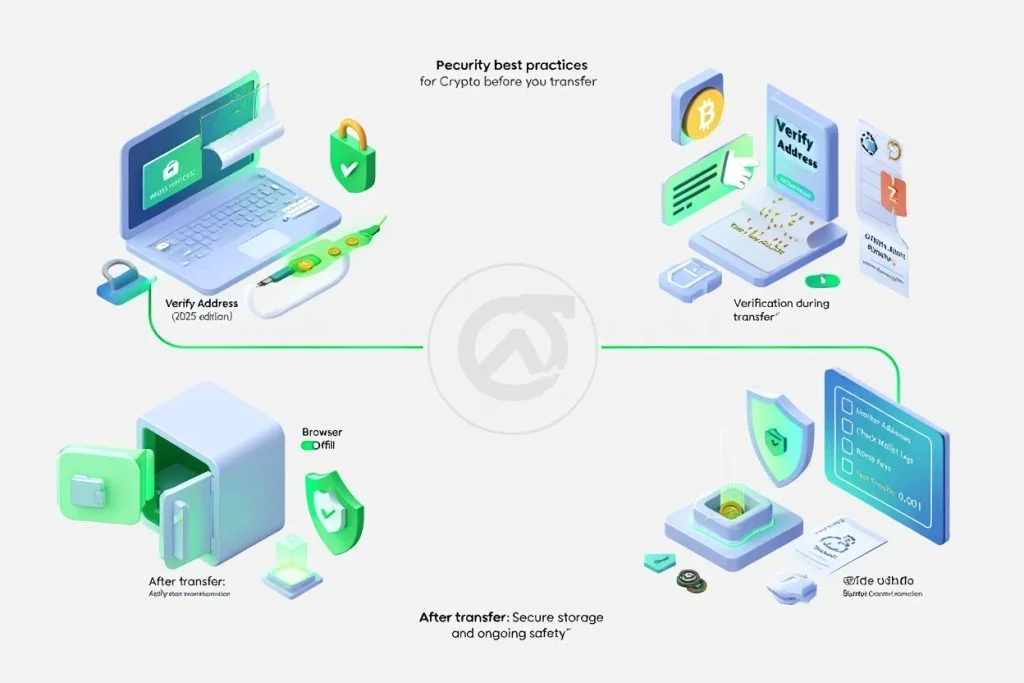
Moving crypto is straightforward, but security should never be an afterthought. Here are some pro tips to keep your assets safe.
Double‑Check Addresses Using QR Codes
Many wallets allow you to scan a QR code instead of copying a long alphanumeric string. This reduces the risk of a typo that could send your funds to the wrong address forever.
Start with a Small Test Transfer
If you’re sending a large sum, first send a tiny amount (e.g., 0.0001 BTC). Confirm it arrives correctly before moving the rest. This practice is common among seasoned traders and helps catch address errors early.
Keep Your 2FA Device Secure
Since Robinhood requires two‑factor authentication for outgoing transfers, treat your authenticator app like a vault. If you lose your phone, change your 2FA method immediately through the app’s security settings.
Monitor Network Congestion
During periods of high demand (like major market events), network fees can spike and confirmation times can lengthen. If you’re not in a hurry, consider waiting for a quieter window to save on fees.
Maintain a Backup of Your Wallet’s Recovery Phrase
While this isn’t directly related to sending from Robinhood, you’ll eventually store crypto in a personal wallet. Keep the seed phrase offline, preferably on paper stored in a fire‑proof safe.
Comparing Robinhood’s Sending Feature to Other Platforms

Robinhood’s crypto transfer capability is still maturing, especially when compared to dedicated exchanges like Coinbase or Binance. For perspective, you might want to review a step‑by‑step guide on How to Send Crypto from Coinbase. The Coinbase flow is similar but includes more granular fee options and a broader range of supported assets.
Another point of comparison is the ability to trade on platforms that don’t support withdrawals at all, such as Webull. If you’re curious about why you can’t buy or send crypto on certain apps, the article why cant i buy crypto on webull? Explained offers a clear breakdown of regulatory and technical reasons.
Putting It All Together: A Quick Checklist
- ✅ Verify your Robinhood identity and enable 2FA.
- ✅ Confirm the crypto you want to send is supported for withdrawals.
- ✅ Have a secure external wallet ready (with address copied correctly).
- ✅ Follow the step‑by‑step “Send” workflow inside the app.
- ✅ Review network fees and confirm the transaction.
- ✅ Track the transaction on a block explorer.
- ✅ Keep a record of the transaction ID for future reference.
By ticking off each item, you minimize the risk of a failed transfer and ensure a smooth experience. Remember, crypto transactions are irreversible—take the time to double‑check every detail.
Now that you know how to send crypto on Robinhood, you can finally move your assets into a wallet you fully control, diversify across platforms, or even prepare for tax‑season reporting. The power to manage your own digital wealth is just a few taps away.
Whether you’re a newcomer looking to cash out some gains or a seasoned trader consolidating holdings, the ability to send crypto directly from Robinhood adds a crucial piece to your financial toolkit. Keep this guide handy, stay vigilant about security, and enjoy the freedom that comes with true crypto ownership.
Happy transferring!
[Finance]: Finance