
Table of Contents
- Step‑by‑Step Process on How to Delete Crypto.com Account
- 1. Prepare Your Account – Secure Your Funds First
- 2. Clear Personal Data – Reduce Future Exposure
- 3. Navigate to the Account Deletion Section
- 4. Follow the Confirmation Workflow
- 5. Wait for Processing – What Happens Next?
- Common Pitfalls When Learning How to Delete Crypto.com Account
- Forgot to Withdraw All Funds
- Active Visa Card or Loan
- Pending Customer Support Tickets
- What Happens to Your Data After Deleting the Account?
- Alternatives to Deleting – When to Consider a Pause Instead
- FAQs About How to Delete Crypto.com Account
- Can I recover my account after deletion?
- Will I lose my referral rewards?
- Is there a fee for deleting the account?
- Do I need to contact customer support?
- What if I’m in a jurisdiction where Crypto.com is not fully supported?
Deciding to close your Crypto.com account can feel like a big step, especially if you’ve been trading or holding assets on the platform for a while. Maybe you’re moving to a different exchange, or perhaps you’re simply cleaning up unused accounts for security reasons. Whatever the motivation, knowing how to delete Crypto.com account properly will save you time, avoid headaches, and make sure no stray funds are left behind.
Before you dive into the technical steps, it’s worth taking a moment to review why you might want to delete the account in the first place. Some users discover that they prefer a different user experience, while others have concerns about data privacy or want to consolidate their crypto activities under a single provider. If you’re still on the fence, you might want to compare platforms – for instance, read which is better Coinbase or Crypto.com? A Deep Dive to see if switching is truly the right move.
Once you’re sure, the actual process of how to delete Crypto.com account is fairly straightforward, but it does involve a few preparatory steps to protect your assets and personal data. Below we’ll walk you through each phase, from withdrawing your crypto to confirming the final closure.
Step‑by‑Step Process on How to Delete Crypto.com Account

The core of the guide focuses on the exact actions you need to take inside the app and on the web portal. Follow these steps carefully, and you’ll have your account terminated without a hitch.
1. Prepare Your Account – Secure Your Funds First
- Withdraw all crypto assets. Transfer any Bitcoin, Ethereum, or altcoins to an external wallet you control. If you’re unsure how to move your holdings, check out Transfer Money from Crypto.com to Bank: Complete Guide for a detailed walkthrough.
- Convert remaining balances. If you have any leftover fiat (USD, EUR, etc.) in the Crypto.com app, convert it to a stablecoin or withdraw it to your linked bank account.
- Cancel active subscriptions. Features like Crypto.com Visa cards, Earn interest programs, or recurring purchases must be cancelled to avoid future charges.
- Note your referral codes. If you’ve earned referral rewards, make a record of them before they disappear with the account.
2. Clear Personal Data – Reduce Future Exposure
Before you request the deletion, it’s a good idea to remove as much personal information as possible. Delete saved payment methods, clear your address book, and if you’ve uploaded identity documents for verification, consider requesting a data export for your records.
3. Navigate to the Account Deletion Section
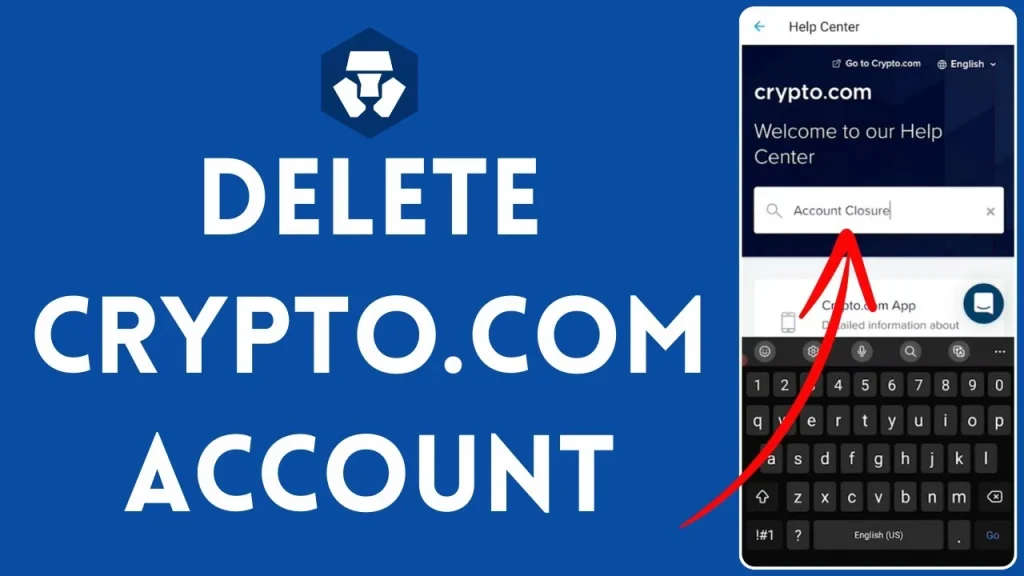
Within the Crypto.com app, head to Settings → Profile → Delete Account. On the web version, you’ll find the same option under Account Settings → Security → Delete Account. The exact wording may vary slightly, but the keyword how to delete crypto com account will appear prominently as a button or link.
4. Follow the Confirmation Workflow
- Enter your login password to verify it’s really you.
- Provide a short reason for leaving (optional).
- Read the final disclaimer – once you confirm, the deletion is irreversible.
- Tap the Delete Account button.
After confirming, Crypto.com will usually send an email with a final confirmation link. Click the link within 24‑48 hours, or the deletion request will expire.
5. Wait for Processing – What Happens Next?
Crypto.com typically processes the deletion request within a few business days. During this period, you’ll still be able to log in, but the account will be marked for closure. If you notice any pending transactions, they must be resolved before the final shutdown.
Common Pitfalls When Learning How to Delete Crypto.com Account

Even though the steps are clear, many users run into obstacles that can delay the process. Recognizing these issues ahead of time can keep things smooth.
Forgot to Withdraw All Funds
The platform will not let you delete the account if there are assets still sitting in your wallet. Double‑check every sub‑account, including the “Earn” and “Staking” sections. If you have any locked tokens, you may need to wait for the lock period to end before proceeding.
Active Visa Card or Loan
If you have a Crypto.com Visa card with an outstanding balance or a crypto‑backed loan, those obligations must be settled first. The system will block deletion until the financial ties are cleared.
Pending Customer Support Tickets
Open support tickets can also stall the deletion. It’s a good practice to close all active tickets, or at least inform the support team that you’re about to delete the account.
What Happens to Your Data After Deleting the Account?

Understanding data retention helps you gauge privacy implications. Once the account is fully closed, Crypto.com retains certain information to comply with regulatory requirements, such as transaction records for anti‑money‑laundering (AML) purposes. However, personal identifiers like your name, email, and phone number are usually anonymized or removed from active databases.
If you have concerns about data privacy, you can also file a Data Subject Access Request (DSAR) before deletion, asking the company to provide a copy of all stored information. This step is optional but adds an extra layer of control over your digital footprint.
Alternatives to Deleting – When to Consider a Pause Instead

Sometimes, the urge to delete stems from a temporary frustration or a desire to “clean up” without losing everything permanently. In those cases, you might prefer to simply deactivate or freeze your account. Crypto.com does not currently offer a “deactivate” button, but you can achieve a similar effect by:
- Changing your password to something you don’t remember, effectively locking yourself out.
- Removing all payment methods and withdrawing all assets, leaving the account inert.
- Contacting support and requesting a temporary suspension for security reasons.
These options give you the flexibility to return later if you change your mind, while still protecting your assets.
FAQs About How to Delete Crypto.com Account
Can I recover my account after deletion?
No. Once the final confirmation link is clicked and the processing period ends, the account is permanently erased. You would need to create a new profile from scratch.
Will I lose my referral rewards?
Yes. Referral bonuses are tied to the active account. If you’ve not claimed them, they will be lost upon deletion.
Is there a fee for deleting the account?
Crypto.com does not charge a specific deletion fee, but you must ensure all balances are zero; any pending fees will need to be settled beforehand.
Do I need to contact customer support?
Usually, the in‑app process is sufficient. However, if you encounter an error or have a special circumstance (e.g., locked tokens), reaching out to support can expedite the resolution.
What if I’m in a jurisdiction where Crypto.com is not fully supported?
In regions where the platform has limited services, the deletion workflow may differ slightly. Review the local compliance section or read Is Crypto.com Available in the US? A Complete Guide for region‑specific instructions.
Now that you’ve got a comprehensive roadmap on how to delete Crypto.com account, you can proceed with confidence. Remember, the most crucial part is making sure every last coin, token, and fiat balance is safely moved out of the platform. Once that’s done, the actual deletion is just a few clicks and a confirmation email away.
Whether you’re moving to another exchange, consolidating your crypto holdings, or simply stepping away from digital assets, the steps above will help you close the chapter cleanly. Good luck, and may your next crypto adventure be just as rewarding!