Table of Contents
- how to find your crypto wallet address – Quick Overview
- Why Knowing how to find your crypto wallet address Matters
- Step‑by‑Step: Software Wallets
- MetaMask (Browser Extension & Mobile)
- Trust Wallet (Mobile)
- Step‑by‑Step: Hardware Wallets
- Ledger Nano S / X
- Trezor Model T
- Step‑by‑Step: Exchange Wallets
- Coinbase
- Binance
- Common Mistakes & How to Avoid Them
- Quick Tip: Test with a Small Amount
- Security Best Practices When Sharing Your Address
- Using Block Explorers to Verify
- What to Do If You Can’t Find Your Address
- Wrapping It All Up
Getting started with cryptocurrency can feel like stepping into a new universe. One of the first things you’ll encounter is the wallet address – a string of characters that acts like your bank account number on the blockchain. Whether you’re receiving a payment, swapping tokens, or just checking where your funds are stored, knowing how to find your crypto wallet address is essential.
But don’t worry if the concept sounds intimidating. The process is usually just a few clicks, and most wallets are designed to make the address visible right away. In this guide we’ll walk through the steps for software wallets, hardware wallets, and even exchange‑based solutions, so you’ll always know where to look – no matter which platform you prefer.
Along the way, we’ll sprinkle in a few practical tips on keeping your address safe, avoiding common pitfalls, and making sure you’re ready to receive crypto without any hiccups. Let’s dive in and demystify the process of finding your crypto wallet address.
how to find your crypto wallet address – Quick Overview
At its core, how to find your crypto wallet address is about locating a unique alphanumeric string that identifies your wallet on a specific blockchain. The exact steps differ slightly depending on the type of wallet you’re using, but the underlying principle stays the same: open the app or device, navigate to the “Receive” or “Deposit” section, and copy the displayed address.
Below we break down the process for three main categories of wallets:
- Mobile & desktop software wallets (e.g., MetaMask, Trust Wallet)
- Hardware wallets (e.g., Ledger, Trezor)
- Exchange wallets (e.g., Coinbase, Binance)
Why Knowing how to find your crypto wallet address Matters
Understanding how to find your crypto wallet address isn’t just a convenience; it’s a security step. Sending funds to the wrong address can result in irreversible loss. Moreover, many platforms require you to paste your address when you want to receive tokens, set up recurring payments, or integrate with decentralized applications (dApps).
Having the address at your fingertips also simplifies activities like participating in airdrops, swapping assets on decentralized exchanges, or simply checking your balance on a block explorer.
Step‑by‑Step: Software Wallets
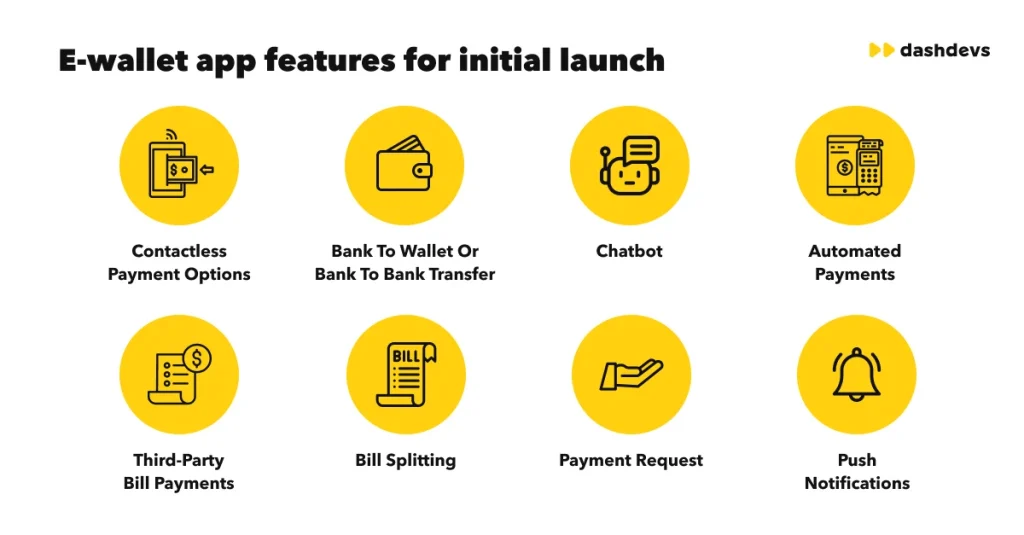
Software wallets are the most common entry point for new crypto users. They’re available as mobile apps, browser extensions, or desktop applications. Here’s how to locate your address in a typical software wallet:
MetaMask (Browser Extension & Mobile)
- Open MetaMask and unlock it with your password or biometric authentication.
- Make sure you’re on the correct network (Ethereum mainnet, Binance Smart Chain, etc.).
- Click the “Account 1” dropdown at the top of the interface.
- Your public address appears right below the account name – it’s a string that starts with
0x. - Click the copy icon to store it in your clipboard for later use.
Trust Wallet (Mobile)
- Launch Trust Wallet and select the coin you want the address for.
- Tap “Receive.”
- A QR code and the alphanumeric address will be displayed.
- Use the “Copy” button to save the address.
If you need a deeper dive into choosing the right app, check out our What Apps to Use for Crypto – Your Complete Guide, which covers the pros and cons of the most popular software wallets.
Step‑by‑Step: Hardware Wallets
Hardware wallets keep your private keys offline, offering an extra layer of protection. The process to retrieve your address is slightly different because you’ll be interacting with a physical device.
Ledger Nano S / X
- Connect your Ledger device to your computer or phone and open Ledger Live.
- Enter your PIN and unlock the device.
- Select the “Receive” tab on the left sidebar.
- Choose the cryptocurrency you need the address for.
- Confirm the address shown on your computer matches the one displayed on the Ledger screen – this double‑verification prevents malware attacks.
- Copy the address or scan the QR code to share it.
Trezor Model T
- Plug your Trezor into a USB port and open the Trezor Suite application.
- Enter your PIN and, if set, your passphrase.
- Navigate to the “Receive” section for the desired coin.
- Verify the address on both the computer screen and the device’s display.
- Copy the address securely.
Remember: always verify the address on the device itself. This prevents “clipboard hijacking” where malicious software alters the copied address.
Step‑by‑Step: Exchange Wallets
Many people store crypto on exchanges because of the convenience for trading. While not recommended for long‑term storage, it’s still useful to know how to find your crypto wallet address on these platforms.
Coinbase
- Log in to your Coinbase account.
- Go to the “Assets” tab and select the cryptocurrency you wish to receive.
- Click “Receive.”
- A window will display your wallet address and a QR code. Copy the address.
Binance
- Sign in to Binance.
- Hover over “Wallet” and click “Fiat & Spot.”
- Find the coin you need, then click “Deposit.”
- Choose the correct network (e.g., ERC‑20, BEP‑20) and copy the generated address.
For those curious about buying crypto on a specific wallet, you might find our guide How to Buy Crypto on Phantom Wallet – A Complete Step‑by‑Step Guide useful.
Common Mistakes & How to Avoid Them

Even after learning how to find your crypto wallet address, a few pitfalls can still trip you up. Below are the most frequent errors and quick fixes.
- Choosing the Wrong Network: Some coins exist on multiple blockchains (e.g., USDT on ERC‑20 vs. TRC‑20). Always double‑check the network before copying the address.
- Copy‑Paste Errors: A missing character makes a transaction fail. Use the “Copy” button instead of manually selecting the address.
- Using an Old Address: If you’ve generated a new receiving address, older apps might still show the previous one. Refresh the app or clear the cache.
- Sharing Private Keys: Never share your private key or seed phrase – only the public address is meant for receiving funds.
Quick Tip: Test with a Small Amount
When you’re unsure, send a tiny amount (like 0.0001 BTC) to the new address first. This confirms that the address is correct without risking a large sum.
Security Best Practices When Sharing Your Address
Even though a public address is, by definition, shareable, there are still privacy considerations to keep in mind.
- Avoid Public Forums: Posting your address publicly can expose you to targeted phishing attacks.
- Use a New Address Per Transaction: Many wallets support “address rotation” to improve privacy.
- Monitor Incoming Transactions: Use a block explorer (e.g., Etherscan for Ethereum) to verify that funds have arrived.
Using Block Explorers to Verify
Paste your address into a block explorer, and you’ll see a full transaction history, including timestamps and amounts. This is especially handy for confirming that the sender used the correct address.
What to Do If You Can’t Find Your Address
Sometimes, a wallet interface may look different after an update, or you might be using a less common app. Here’s a quick troubleshooting checklist:
- Ensure the app is up to date – developers often move the “Receive” button.
- Search the help center of the wallet provider – most have a “How to find my address” article.
- Check community forums or Reddit – users often share screenshots of where the address lives in new UI versions.
- Contact support if you suspect a bug, but never share your private key.
Wrapping It All Up

Now you’ve got a solid understanding of how to find your crypto wallet address across software, hardware, and exchange platforms. By following the step‑by‑step instructions, verifying the network, and practicing good security hygiene, you’ll be ready to receive crypto with confidence. Remember, the address is just a public identifier; the real security lies in protecting your private keys and seed phrases.
As you continue exploring the crypto world, keep this guide handy. Whether you’re swapping tokens on a decentralized exchange, receiving a payment for freelance work, or participating in a community airdrop, knowing exactly where to locate your wallet address will save you time and protect your assets.
Happy transacting, and may your blockchain adventures be smooth and secure!