Table of Contents
- Why Opening a Business Bank Account Online Is the Smart Move
- Key Requirements for Opening a Business Bank Account Online
- Step‑by‑Step Process for Opening a Business Bank Account Online
- Step 1: Research and Compare Options
- Step 2: Gather Your Documentation
- Step 3: Fill Out the Application
- Step 4: Verify Your Identity
- Step 5: Fund Your New Account
- Step 6: Set Up Additional Features
- Common Pitfalls and How to Avoid Them
- Choosing the Right Online Bank for Your Business
- Special Considerations for Specific Business Types
- Freelancers and Sole Proprietors
- E‑Commerce Stores
- Non‑Profit Organizations
- Security and Compliance: What You Need to Know
- Future‑Proofing Your Business Banking Strategy
Starting a new venture is exhilarating, but the paperwork that follows can feel like a maze. One of the first hurdles many entrepreneurs hit is setting up a proper business bank account. Gone are the days of driving to a branch, waiting in line, and juggling endless forms. Thanks to modern fintech, you can now get your business finances up and running from the comfort of your home or office.
In this article, we’ll walk you through everything you need to know about opening a business bank account online. From the documents you’ll need to the hidden fees you should watch out for, we’ve got you covered. Whether you’re a solo freelancer, a growing startup, or an established company looking to streamline operations, this guide will help you make a confident decision.
Before we dive deep, remember that the right bank can become a strategic partner—offering tools like cash‑flow analytics, integrated payment processing, and even rewards programs. So, let’s explore how to choose wisely and get that account opened without a hitch.
Why Opening a Business Bank Account Online Is the Smart Move
Choosing to open a business bank account online isn’t just about convenience; it’s about aligning your finances with the digital age. Here are a few compelling reasons:
- Speed: Most online applications are processed within 24‑48 hours, compared to days or weeks with traditional banks.
- Accessibility: Manage your account from any device, anywhere in the world.
- Cost‑effectiveness: Many online banks waive monthly fees or offer lower transaction costs.
- Integrated tools: Automatic bookkeeping, invoicing, and expense tracking often come built‑in.
Key Requirements for Opening a Business Bank Account Online
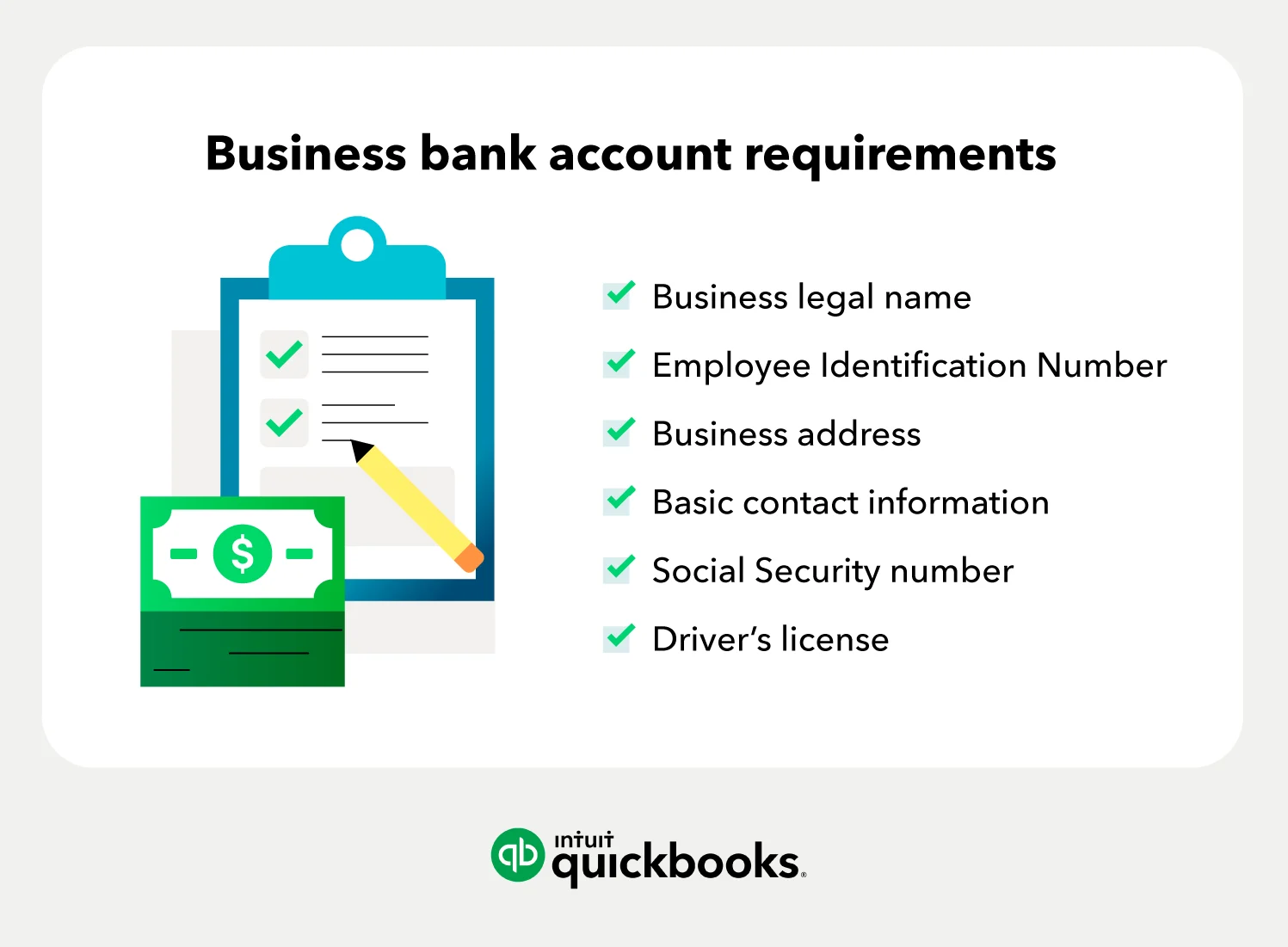
Even though the process is digital, banks still need to verify your identity and business legitimacy. Here’s a checklist of the most common documents you’ll be asked to upload:
- Employer Identification Number (EIN): Issued by the IRS, this is the tax ID for your business.
- Business formation documents: Articles of incorporation, LLC operating agreement, or partnership agreement.
- Personal identification: A government‑issued photo ID (driver’s license, passport).
- Proof of address: Utility bill or lease agreement for the business location.
- Ownership information: Names and Social Security numbers of all owners with >25% stake.
If you’re a sole proprietor, a DBA (“Doing Business As”) certificate may substitute some of the above. Having these items ready before you start the application will keep the process smooth.
Step‑by‑Step Process for Opening a Business Bank Account Online
Step 1: Research and Compare Options
Before you click “Apply,” spend some time comparing banks. Look at fees, transaction limits, integration capabilities, and customer support. A handy resource is our Open a Company Bank Account Offer: Find the Best Deal article, which breaks down the top contenders for 2026.
Step 2: Gather Your Documentation
Compile the list from the previous section. Most online portals accept PDF, JPEG, or PNG files. Ensure the scans are clear—blurry documents can cause delays.
Step 3: Fill Out the Application
The application typically asks for:
- Business name and legal structure
- EIN and filing date
- Contact information for the primary signatory
- Estimated monthly transaction volume
Answer honestly; banks use this data to set appropriate account limits and compliance checks.
Step 4: Verify Your Identity
Most platforms require a quick video call or a selfie with your ID to comply with Know‑Your‑Customer (KYC) regulations. This step usually takes just a few minutes.
Step 5: Fund Your New Account
After approval, you’ll be prompted to make an initial deposit. Many online banks accept ACH transfers, wire transfers, or even debit card deposits. Some even let you start with a $0 balance—great for bootstrapped startups.
Step 6: Set Up Additional Features
Once the account is live, explore add‑ons like virtual debit cards, payroll services, and integration with accounting software such as QuickBooks or Xero. These tools can save you hours of manual entry each month.
Common Pitfalls and How to Avoid Them
Even with a streamlined online process, entrepreneurs sometimes stumble into avoidable issues. Here’s what to watch out for:
- Hidden fees: Some banks advertise “no monthly fee” but charge for inbound wires or excessive transactions. Scrutinize the fee schedule.
- Insufficient verification: Failing to provide a complete set of documents can lead to a rejected application. Double‑check before you submit.
- Choosing the wrong account type: A personal‑business hybrid account can blur legal protections. Keep your business finances separate.
- Neglecting security: Enable two‑factor authentication (2FA) and set up alerts for large withdrawals.
For a deeper dive into the nuances of online account setups, you might find our How to Open a Online Business Bank Account – The Complete Guide article especially useful.
Choosing the Right Online Bank for Your Business

Not all online banks are created equal. Here’s a quick snapshot of three popular options, each with its own sweet spot:
- Bank A (Traditional Bank with Digital Suite): Ideal for businesses that still value occasional in‑person help and need robust credit lines.
- Bank B (Fintech‑First Platform): Perfect for startups wanting seamless API integration, low fees, and instant card issuance.
- Bank C (Hybrid Model): Offers a blend of physical branches and cutting‑edge online tools, great for growing companies transitioning from a sole‑proprietor to a larger entity.
When you decide, think about the future: Will you need a line of credit? Do you plan to accept international payments? The right choice now can save you a lot of hassle later.
Special Considerations for Specific Business Types

Freelancers and Sole Proprietors
Even if you’re the only employee, having a dedicated business account helps keep personal and professional expenses separate, which simplifies tax filing. Many online banks offer “solo” plans with minimal fees.
E‑Commerce Stores
Look for banks that integrate directly with platforms like Shopify, WooCommerce, or Amazon. Some also provide merchant services (payment processing) at lower rates than third‑party providers.
Non‑Profit Organizations
Non‑profits often qualify for fee waivers and can benefit from donation‑tracking tools. Ensure the bank you choose supports 501(c)(3) verification.
Security and Compliance: What You Need to Know
Security is non‑negotiable when it comes to handling money online. Reputable banks employ encryption, tokenization, and real‑time fraud monitoring. As an account holder, you should:
- Enable two‑factor authentication (2FA) on every device.
- Set daily transaction limits that match your cash‑flow needs.
- Regularly review account statements for unauthorized activity.
- Keep your software and browsers up to date.
Compliance-wise, most banks will ask you to confirm that your business adheres to anti‑money‑laundering (AML) regulations. Keep your business licenses and tax filings current to avoid any interruptions.
Future‑Proofing Your Business Banking Strategy

Technology evolves fast, and so do banking services. To stay ahead, consider these forward‑thinking practices:
- API readiness: Choose a bank that offers open APIs so you can automate cash‑flow reporting or integrate with custom software.
- Multi‑currency support: If you deal with overseas clients, a bank that handles foreign currencies can save you conversion fees.
- Scalable features: As your payroll grows, you’ll want easy employee card issuance and payroll processing.
- Environmental, Social, and Governance (ESG) factors: Some banks now offer “green” account options or invest in sustainable projects, aligning your finance with your brand values.
By selecting a forward‑looking partner now, you’ll avoid the hassle of migrating accounts later on—a process that can be both costly and time‑consuming.
In summary, opening a business bank account online is a straightforward yet critical step for any entrepreneur. Prepare your documents, compare providers, and pay close attention to fees and security features. The right digital bank can become a powerful ally, offering tools that keep your finances organized, your taxes simple, and your growth trajectory on track.
Ready to take the plunge? Start by reviewing the latest offers and picking the platform that aligns best with your business goals. Happy banking!
[Finance]: Finance