Table of Contents
- Step‑by‑Step: Transfer Money from Crypto.com to Bank
- 1. Verify Your Identity Before You Transfer Money from Crypto.com to Bank
- 2. Convert Crypto to Fiat Inside the App
- 3. Initiate the Bank Transfer – Transfer Money from Crypto.com to Bank
- 4. Monitor the Status and Troubleshoot Common Issues
- Fees, Limits, and Timing – What to Expect When You Transfer Money from Crypto.com to Bank
- Security Tips to Keep Your Transfers Safe
- Enable Strong Two‑Factor Authentication for Every Transfer
- Whitelist Your Bank Accounts
- Regularly Review Withdrawal History
- Stay Updated on Platform Changes
- Alternative Withdrawal Methods (When Bank Transfer Isn’t Ideal)
- Crypto.com Visa Card Cash‑Out
- Third‑Party Payment Services
- Stablecoin Withdrawal to External Wallets
- Common Questions About Transferring Money from Crypto.com to Bank
- How long does a standard bank transfer take?
- Can I transfer money from Crypto.com to a joint account?
- What if my withdrawal fails?
- Are there taxes on the transfer?
- Do I need to use the same bank account for all withdrawals?
Crypto.com has become a go‑to platform for many people looking to dip their toes into the world of digital assets. Whether you’re a seasoned trader or a newcomer, the moment you decide to cash out, the biggest question usually is: how do I transfer money from Crypto.com to bank? The answer isn’t as intimidating as it might sound, but it does require a clear understanding of a few moving parts—verification, fees, processing times, and the occasional hiccup.
In this article we’ll walk you through everything you need to know to move your crypto earnings into your regular bank account. From setting up the necessary verification steps to picking the right withdrawal method, you’ll get a roadmap that makes the process feel as smooth as a swipe on a smartphone. And because the ecosystem keeps evolving, we’ll also sprinkle in some up‑to‑date tips so you’re never caught off guard.
If you’re curious about the broader Crypto.com experience, you might want to check out a detailed review of the app’s features. The Crypto.com app review gives you a solid picture of why many users trust the platform for both trading and storing assets.
Step‑by‑Step: Transfer Money from Crypto.com to Bank

Getting money from your Crypto.com account into a traditional bank is essentially a two‑step dance: first you sell the crypto for fiat (USD, EUR, etc.), then you withdraw that fiat to your bank. Below is the standard workflow.
1. Verify Your Identity Before You Transfer Money from Crypto.com to Bank
Crypto.com, like most regulated exchanges, requires KYC (Know Your Customer) verification before you can move funds out. The verification process includes:
- Uploading a government‑issued ID (passport, driver’s license, or national ID).
- Providing a selfie for facial verification.
- Submitting a proof‑of‑address document (utility bill or bank statement dated within the last three months).
Once approved—usually within a few minutes to a few hours—you’ll see the “Withdraw” button become active. Skipping this step isn’t an option if you want to transfer money from Crypto.com to bank without a hitch.
2. Convert Crypto to Fiat Inside the App
Before you can withdraw, you need fiat in your Crypto.com wallet. Here’s how:
- Navigate to the “Trade” tab and select “Sell”.
- Choose the cryptocurrency you want to convert (e.g., Bitcoin, Ethereum, or any of the supported altcoins).
- Enter the amount you’d like to sell and confirm the transaction.
- The fiat proceeds land in your “Crypto.com USD” (or EUR/GBP) wallet instantly.
Keep an eye on the market spread; Crypto.com applies a small fee on the conversion, typically a fraction of a percent. For a deeper dive on fees, see the guide on how much does Crypto.com charge.
3. Initiate the Bank Transfer – Transfer Money from Crypto.com to Bank
Now the real action begins. Follow these steps to move the fiat to your bank:
- Tap “Withdraw” on the main dashboard.
- Select “Bank Transfer” as the destination.
- If this is your first withdrawal, you’ll need to add a bank account. Input the IBAN (for European banks) or routing and account numbers (for U.S. banks). Double‑check the details; a typo can delay the transfer.
- Enter the amount you wish to withdraw and hit “Confirm”.
- Crypto.com will ask for a 2‑factor authentication (2FA) code—usually sent via SMS or generated by an authenticator app.
After confirming, the withdrawal enters a processing queue. In most regions, standard transfers take 1–3 business days, while instant transfers (available for select banks) may hit your account within minutes, albeit for a higher fee.
4. Monitor the Status and Troubleshoot Common Issues
Crypto.com provides a status bar for each withdrawal. If you notice a “Pending” status lingering beyond the usual window, consider these checks:
- Ensure your bank account is correctly linked and supports inbound transfers from third‑party platforms.
- Verify that you haven’t hit the daily or monthly withdrawal limits. The limits depend on your verification tier (Basic, Verified, or Pro).
- Check for any compliance holds—large withdrawals sometimes trigger additional AML (Anti‑Money‑Laundering) reviews.
When in doubt, Crypto.com’s support chat is responsive, and the community forums often have real‑world solutions.
Fees, Limits, and Timing – What to Expect When You Transfer Money from Crypto.com to Bank
Understanding the cost structure can save you from surprise deductions. Crypto.com’s fee model for bank withdrawals includes:
- Standard Withdrawal Fee: Usually a flat $0.10–$0.25 per transaction, depending on the currency.
- Instant Transfer Fee: Ranges from 0.5% to 1% of the withdrawal amount. This fee is higher because the platform leverages payment rails that guarantee near‑instant settlement.
- Currency Conversion Fee: If you’re withdrawing in a currency different from the one you sold your crypto for, a small conversion spread applies.
Limits are tied to your verification level:
- Basic (email only): $2,000 per day, $5,000 per month.
- Verified (ID & address): $25,000 per day, $100,000 per month.
- Pro (additional source‑of‑funds documentation): Up to $250,000 per day.
Processing times vary by region and method. In the U.S., ACH transfers typically settle within 2 business days, whereas SEPA transfers in Europe can be as quick as one business day. If you need cash right away, the “Instant Transfer” option—though pricier—gets the money into your bank account in under an hour.
Security Tips to Keep Your Transfers Safe
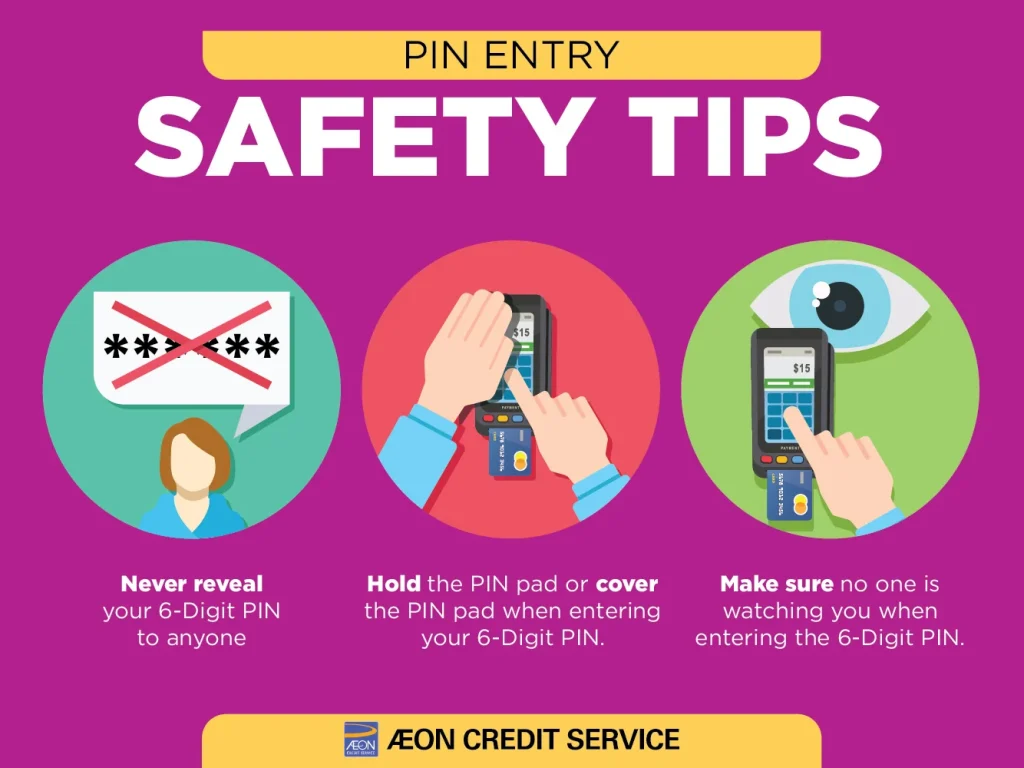
Moving money from Crypto.com to a bank account is a high‑value activity, so taking a few extra precautions is wise.
Enable Strong Two‑Factor Authentication for Every Transfer
Never rely solely on SMS codes. Use an authenticator app (Google Authenticator, Authy, or similar) for the strongest protection. This adds a second layer that a potential attacker would need to compromise.
Whitelist Your Bank Accounts
Crypto.com allows you to designate “trusted” withdrawal destinations. By whitelisting only your personal bank accounts, you reduce the risk of accidental or malicious transfers to unknown recipients.
Regularly Review Withdrawal History
Make it a habit to glance at your recent withdrawals. Spotting an unfamiliar transaction early gives you a chance to raise a dispute before the funds are fully processed.
Stay Updated on Platform Changes
Crypto.com periodically updates its fee schedule and limits. Subscribing to their official blog or checking the Crypto.com transfer guide ensures you’re always in the loop.
Alternative Withdrawal Methods (When Bank Transfer Isn’t Ideal)
While the bank transfer remains the most common route, Crypto.com offers other options that might suit specific needs.
Crypto.com Visa Card Cash‑Out
If you hold a Crypto.com Visa Card, you can simply use it at any ATM or point‑of‑sale terminal. The app automatically converts a portion of your crypto holdings into fiat, which is then used for the transaction. This method bypasses the traditional bank transfer altogether, though it carries its own set of fees and limits.
Third‑Party Payment Services
Some users link their Crypto.com account to services like PayPal or Revolut, but this typically requires an intermediate step—first withdrawing to a bank, then moving the funds to the third‑party service. Direct integration isn’t offered yet, so the “transfer money from Crypto.com to bank” route remains the backbone.
Stablecoin Withdrawal to External Wallets
If you prefer staying in the crypto world, you can convert your assets to a stablecoin (USDC, USDT) and send them to an external wallet. Later, you can swap the stablecoin for fiat on another exchange that supports direct fiat withdrawals. This is a longer path but can be cost‑effective for large sums.
Common Questions About Transferring Money from Crypto.com to Bank
Below are some FAQs that pop up frequently among users.
How long does a standard bank transfer take?
Typically 1–3 business days, depending on your bank’s processing schedule and the region.
Can I transfer money from Crypto.com to a joint account?
Yes, as long as the joint account’s details match the name on your Crypto.com profile. Some banks may reject the transaction if the names don’t align, so double‑check the account holder information.
What if my withdrawal fails?
If a transfer is rejected, Crypto.com will automatically revert the funds to your fiat wallet and notify you via email/app push. You can then correct the bank details or try a different withdrawal method.
Are there taxes on the transfer?
The act of moving fiat from Crypto.com to a bank isn’t taxed per se, but the underlying sale of crypto may trigger capital gains tax in many jurisdictions. Keep records of the sell‑to‑fiat transaction and consult a tax professional.
Do I need to use the same bank account for all withdrawals?
No, you can add multiple bank accounts, but each must be verified. The platform may flag frequent changes as suspicious, so it’s best to stick with a primary account for routine withdrawals.
By now you should have a solid grasp of the entire workflow—from verification, through conversion, to the final bank deposit. The process is designed to be user‑friendly, but the key is preparation: verify your identity early, understand the fee structure, and keep your account details tidy.
Whether you’re cashing out a small profit or moving a large balance, following the steps outlined above will help you transfer money from Crypto.com to bank efficiently and securely. Happy withdrawing, and may your fiat land exactly where you expect it!




![Does Costco Accept Discover Cards? [Partially]](https://getrawbox.com/wp-content/uploads/2026/02/does-costco-accept-discover-cards-partially.webp)