Getrawbox Getrawbox
Related Articles


Table of Contents
- How to Buy XDC on Crypto.com: Quick Overview
- Step‑by‑Step Guide on How to Buy XDC on Crypto.com
- Common Mistakes When Trying to Buy XDC on Crypto.com
- Advanced Tips for Maximizing Your XDC Experience
- Staking XDC for Passive Income
- Using XDC with the Crypto.com Visa Card
- Transferring XDC to External Wallets
- Frequently Asked Questions (FAQ)
- Is XDC available for purchase in all countries?
- Can I set up recurring buys for XDC?
- What’s the minimum amount of XDC I can buy?
- How do I check the status of my XDC purchase?
- Wrapping Up Your XDC Journey on Crypto.com
Venturing into the world of XDC (XinFin Digital Contract) can feel a bit like stepping into a new city without a map. The good news? Crypto.com has made the journey smoother than ever, offering a user‑friendly platform that lets you buy XDC in just a few clicks. Whether you’re a seasoned trader or a curious newcomer, knowing how to buy XDC on Crypto.com is the first step toward adding this fast, low‑fee blockchain token to your portfolio.
In this guide we’ll walk through every stage of the process: creating your Crypto.com account, verifying your identity, funding the wallet, and finally executing the XDC purchase. We’ll also sprinkle in practical tips, security best practices, and a few handy shortcuts that seasoned users swear by. By the end, you’ll feel confident navigating the app and making your first XDC trade without a hitch.
Before we dive into the nitty‑gritty, it’s worth noting that Crypto.com isn’t just another exchange—it’s a full‑stack ecosystem that includes a Visa card, a DeFi wallet, and staking options. This means the moment you learn how to buy XDC on Crypto.com, you also unlock a suite of features that can help you earn, spend, and protect your crypto assets.
How to Buy XDC on Crypto.com: Quick Overview
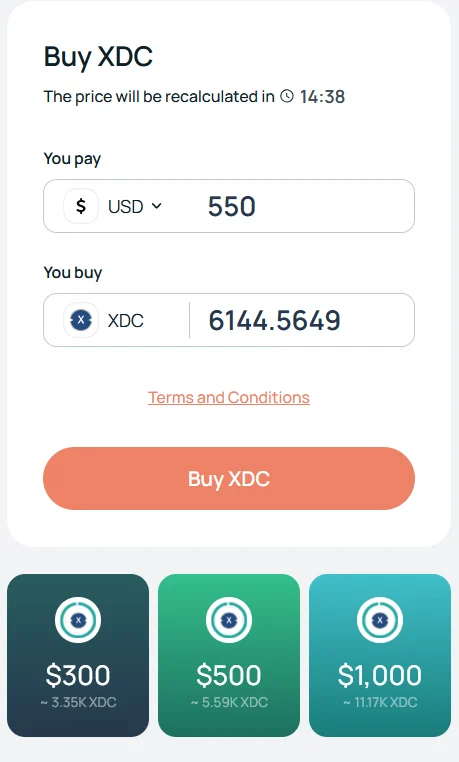
Getting XDC onto your Crypto.com account follows a logical flow that most users find intuitive. Here’s the bird’s‑eye view before we break each step down:
- Download the Crypto.com app or sign up via the website.
- Complete KYC (Know‑Your‑Customer) verification.
- Deposit fiat currency (USD, EUR, etc.) or another crypto.
- Navigate to the “Buy” section and select XDC.
- Confirm the amount and place your order.
- Secure your XDC in the Crypto.com wallet or transfer it elsewhere.
This sequence may seem straightforward, but each stage has its own quirks. Let’s unpack them one by one.
Step‑by‑Step Guide on How to Buy XDC on Crypto.com
1. Sign Up and Secure Your Account
The journey begins with the Crypto.com app, available on iOS and Android, or the desktop portal. Click “Sign Up,” enter your email, and create a strong password. After confirming your email, you’ll be prompted to enable two‑factor authentication (2FA)—highly recommended to keep your account safe.
While you’re setting up, you might wonder about the Is Crypto.com a Good App? In‑Depth Review article, which dives deeper into the platform’s security and feature set. It’s a quick read that reassures you you’re on solid ground.
2. Complete KYC Verification
Crypto.com complies with global regulations, so you’ll need to verify your identity. Upload a government‑issued ID (passport, driver’s license) and a selfie for facial recognition. The verification usually wraps up within minutes, but sometimes it can take a few hours during peak periods.
Pro tip: Ensure the photos are clear, well‑lit, and that your documents are unexpired. A smooth KYC process saves you time when you’re eager to learn how to buy XDC on Crypto.com.
3. Fund Your Account
There are two main ways to add money to your Crypto.com wallet:
- Fiat Deposit: Link a bank account or use a credit/debit card. Fiat deposits are instant for cards, while bank transfers may take 1‑3 business days.
- Crypto Transfer: If you already hold Bitcoin, Ethereum, or another token, you can transfer it to your Crypto.com wallet and trade it for XDC.
For those who prefer keeping everything within the platform, the Transfer Money from Crypto.com to Bank: Complete Guide explains how to move funds back to your bank when you’re ready to cash out.
4. Locate XDC in the Marketplace
Once your balance is topped up, tap the “Buy” button on the home screen. In the search bar, type “XDC” or “XinFin.” The token will appear with its current price, 24‑hour change, and a small chart. Click on it to open the trading interface.
Crypto.com often lists XDC under the “Spot” market, meaning you’ll be buying at the current market price. If you prefer a limit order, you can set your own price and wait for the market to meet it.
5. Place Your Order
Enter the amount of XDC you wish to purchase, either in token units or in your fiat currency. Review the transaction details, including any fees (Crypto.com’s trading fees are competitive, typically around 0.1% for makers and 0.4% for takers). Confirm, and the XDC will appear in your wallet almost instantly.
Quick tip: If you’re new to XDC, consider starting with a modest amount. You can always buy more later once you’re comfortable with the token’s price movements.
6. Secure Your XDC
After the purchase, the XDC lands in your Crypto.com “App Wallet.” For everyday use—paying with the Crypto.com Visa card, staking, or swapping—leaving it there is fine. However, if you plan to hold XDC long‑term, transferring it to the Crypto.com “DeFi Wallet” or an external hardware wallet adds an extra layer of security.
When you move tokens off the app, double‑check the address and confirm the network (Ethereum ERC‑20 or XinFin’s native network) to avoid lost funds.
Common Mistakes When Trying to Buy XDC on Crypto.com
Even seasoned traders occasionally stumble. Here are a few pitfalls to watch out for:
- Skipping the 2FA Setup: Without two‑factor authentication, your account is vulnerable to phishing attacks.
- Using the Wrong Network: XDC exists on multiple chains (ERC‑20 and XinFin). Sending it to the wrong network will result in a permanent loss.
- Ignoring Fees: While Crypto.com’s fees are low, network fees (especially on Ethereum) can spike during congestion. Check the fee preview before confirming.
- Buying During High Volatility: XDC can experience rapid price swings. Setting a limit order can protect you from buying at an inflated price.
Learning from these common errors helps you master how to buy XDC on Crypto.com without unnecessary hiccups.
Advanced Tips for Maximizing Your XDC Experience

Now that you’ve successfully added XDC to your portfolio, let’s explore a few advanced strategies to get more out of the token.
Staking XDC for Passive Income
Crypto.com offers staking options for many assets, including XDC. By locking up a portion of your XDC, you can earn a modest annual yield, typically ranging from 3% to 7% depending on the market conditions. Staking not only generates passive income but also helps secure the network.
To stake, navigate to the “Earn” tab, select XDC, and choose your preferred lock‑up period. Remember, staked assets are illiquid for the duration of the term, so only stake what you can afford to leave untouched.
Using XDC with the Crypto.com Visa Card
If you have the Crypto.com Visa card, you can spend your XDC directly at merchants that accept crypto payments. The app will automatically convert XDC to fiat at the point of sale, letting you enjoy the convenience of a regular debit card while leveraging your crypto holdings.
Keep an eye on the conversion fees, which are typically lower for higher‑tier cardholders. This feature can be a game‑changer for those looking to integrate crypto into everyday spending.
Transferring XDC to External Wallets
For ultimate control, you might want to move XDC to a hardware wallet like Ledger or Trezor. The process is similar to any other crypto transfer:
- Open the “Wallet” tab, select XDC, and click “Transfer.”
- Enter the external address (double‑check it!).
- Choose the network (ERC‑20 or XinFin) and confirm the transaction.
Always verify the address on a separate device to guard against clipboard hijacking.
Frequently Asked Questions (FAQ)
Is XDC available for purchase in all countries?
Crypto.com supports a wide range of jurisdictions, but a few regions are restricted due to regulatory reasons. If you can’t see XDC in the search results, it might be because your country isn’t supported for that specific token.
Can I set up recurring buys for XDC?
Yes! Crypto.com’s “Auto‑Buy” feature lets you schedule regular purchases (daily, weekly, or monthly) using your linked funding source. This dollar‑cost averaging strategy can smooth out price volatility over time.
What’s the minimum amount of XDC I can buy?
The platform typically enforces a minimum purchase of $10 USD worth of any cryptocurrency. The exact token amount varies with the current price, so you’ll see the exact XDC quantity during the order preview.
How do I check the status of my XDC purchase?
All transactions appear in the “History” tab. Click on any entry to view details like timestamp, amount, fees, and transaction hash (if on‑chain).
Wrapping Up Your XDC Journey on Crypto.com
Learning how to buy XDC on Crypto.com is just the beginning of what can be a rewarding experience with this fast, low‑cost blockchain token. From the moment you create your account, verify your identity, and fund your wallet, the platform guides you through a seamless purchase process. Once you own XDC, you have the flexibility to stake, spend, or securely store it, depending on your financial goals.
Remember that the crypto landscape evolves rapidly. Staying informed—through resources like the Can I Buy Crypto on Webull? A Complete Guide article for broader market insights—will help you adapt your strategy as new features roll out on Crypto.com.
Whether you’re buying XDC as a speculative asset, a utility token for XinFin’s ecosystem, or simply diversifying your portfolio, Crypto.com provides the tools you need to do it safely and efficiently. Take the steps outlined above, keep security at the forefront, and you’ll be well on your way to mastering XDC on one of the industry’s most user‑centric platforms.