Getrawbox Getrawbox
Related Articles

When it comes to booking a hotel, Expedia is one of the most popular online travel agencies (OTAs) that people turn to. With its wide range of options, competitive prices, and user-friendly interface, Expedia makes it easy for travelers to find and book their ideal accommodation. However, sometimes unforeseen circumstances may arise, and you may need to cancel your Expedia hotel booking. If you’re wondering how to cancel Expedia hotel booking, you’re in the right place. In this article, we’ll guide you through the process and provide you with some valuable tips to help you navigate the cancellation process smoothly.
Canceling a hotel booking can be a stressful experience, especially if you’re not familiar with Expedia’s cancellation policies. But don’t worry, we’ve got you covered. Before we dive into the nitty-gritty of canceling your Expedia hotel booking, let’s take a look at why you might need to cancel your booking in the first place. Perhaps you’ve had a change of plans, or maybe you’ve found a better deal elsewhere. Whatever the reason, it’s essential to understand the cancellation process to avoid any potential penalties or fees. If you’re looking for a comprehensive guide on how to book a hotel, you can check out our article on How to Book in Hotel: A Comprehensive Guide.
To cancel your Expedia hotel booking, you’ll need to log in to your Expedia account and go to the “My Trips” section. From there, you can select the booking you want to cancel and follow the prompts to complete the cancellation process. It’s essential to note that Expedia’s cancellation policies vary depending on the hotel and the type of booking you’ve made. Some hotels may have stricter cancellation policies than others, so it’s crucial to review your booking details carefully before canceling. If you’re planning a trip to Tokyo, you might want to check out our article on How to Book Hotels in Tokyo: A Comprehensive Guide for some valuable tips and recommendations.
Understanding Expedia’s Cancellation Policies
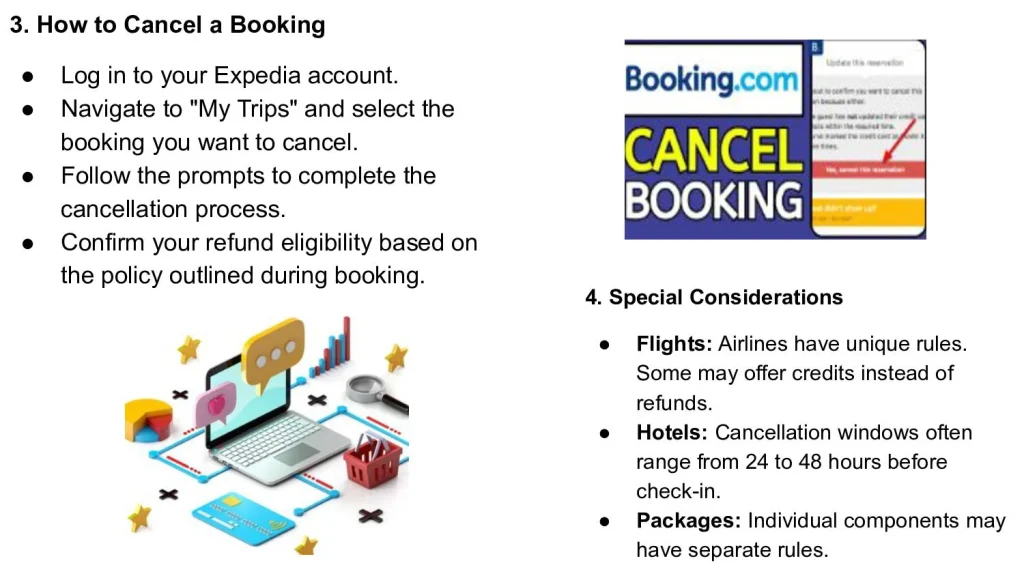
Before you cancel your Expedia hotel booking, it’s essential to understand the company’s cancellation policies. Expedia’s policies vary depending on the hotel and the type of booking you’ve made. Some hotels may have non-refundable rates, while others may offer free cancellation up to a certain point. It’s crucial to review your booking details carefully to avoid any potential penalties or fees. You can find more information on Expedia’s cancellation policies by visiting their website or contacting their customer support team. If you’re interested in learning more about hotel booking cancellation policies, you can check out our article on Understanding Hotel Booking Cancellation Policies.
How to Cancel Expedia Hotel Booking Online
Canceling your Expedia hotel booking online is a straightforward process. Here are the steps you need to follow:
- Log in to your Expedia account and go to the “My Trips” section.
- Select the booking you want to cancel and click on the “Cancel” button.
- Review the cancellation details and confirm that you want to cancel your booking.
- Expedia will send you a confirmation email once your booking has been canceled.
It’s essential to note that some hotels may have specific cancellation requirements, such as a phone call or email to confirm the cancellation. Be sure to review your booking details carefully to ensure that you’re following the correct cancellation procedure. If you’re looking for tips on how to book hotels in Rome, you can check out our article on Hotels in Rome Booking: Tips and Recommendations.
Canceling Expedia Hotel Booking Over the Phone
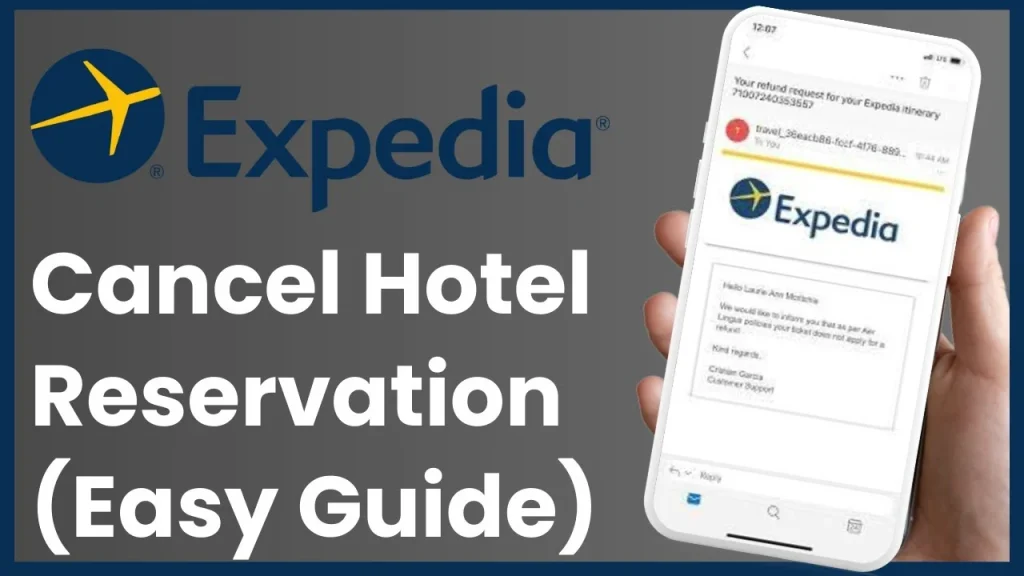
If you prefer to cancel your Expedia hotel booking over the phone, you can contact Expedia’s customer support team directly. Here are the steps you need to follow:
- Call Expedia’s customer support team and provide them with your booking reference number.
- Let them know that you want to cancel your booking and ask about any potential penalties or fees.
- Expedia’s customer support team will guide you through the cancellation process and confirm that your booking has been canceled.
- Be sure to ask for a confirmation email or reference number to ensure that your cancellation has been processed correctly.
Canceling your Expedia hotel booking over the phone can be a good option if you have any questions or concerns about the cancellation process. Expedia’s customer support team is available 24/7 to assist you with any issues you may have. If you’re planning a trip to Dubai, you might want to check out our article on Hotel Booking Dubai Airport: Options and Considerations for some valuable tips and recommendations.
Tips for Canceling Expedia Hotel Booking
Here are some tips to keep in mind when canceling your Expedia hotel booking:
- Review your booking details carefully to understand the cancellation policy and any potential penalties or fees.
- Cancel your booking as soon as possible to avoid any last-minute fees or charges.
- Be sure to confirm your cancellation with Expedia’s customer support team to ensure that your booking has been canceled correctly.
- Keep a record of your cancellation, including the date and time of the cancellation, as well as any reference numbers or confirmation emails.
By following these tips, you can ensure that your Expedia hotel booking is canceled smoothly and efficiently. If you’re interested in learning more about the benefits of hotel booking automation, you can check out our article on Benefits of Hotel Booking Automation.
In conclusion, canceling your Expedia hotel booking can be a straightforward process if you follow the right steps. By understanding Expedia’s cancellation policies and following the tips outlined in this article, you can ensure that your booking is canceled smoothly and efficiently. Whether you’re canceling online or over the phone, be sure to review your booking details carefully and confirm your cancellation with Expedia’s customer support team. With a little patience and attention to detail, you can cancel your Expedia hotel booking with confidence. For more information on hotel bookings, you can check out our article on Hotel at Booking.com Amsterdam: What to Expect. Remember to always review your booking details carefully and understand the cancellation policy before making any changes to your booking. By doing so, you can avoid any potential penalties or fees and ensure a smooth and stress-free travel experience.