First day cover ·
How to Make a Music Video: Plan, Shoot, Edit and Export for Every Platform
Plan a video around the song, shoot or generate visuals, then edit to the beat and export versions for YouTube, vertical feeds and Spotify Canvas.
A music video release now needs more than one finished film. The full song may live on YouTube, while vertical excerpts introduce its hook on TikTok, Instagram Reels and YouTube Shorts; Spotify Canvas uses a short looping clip. That changes the production brief: plan a visual idea that can work at full length and yield shorter, recognizable moments.
The production can be as simple as a phone, one location and a clear concept, or involve a crew, several shoot days and extensive post-production. There’s also a camera-free route: a visualizer, lyric video or AI-generated scenes can turn an audio file into a video. The right choice depends on the song, the time available and the kind of visual authorship the artist wants.
Start with the song and the format
A music video pairs a song with visuals. Those visuals might show an artist performing, follow a short narrative, put lyrics on screen, or use animation and graphics to respond to the music. Before choosing equipment or software, decide what the video should make the listener feel and where it will appear.
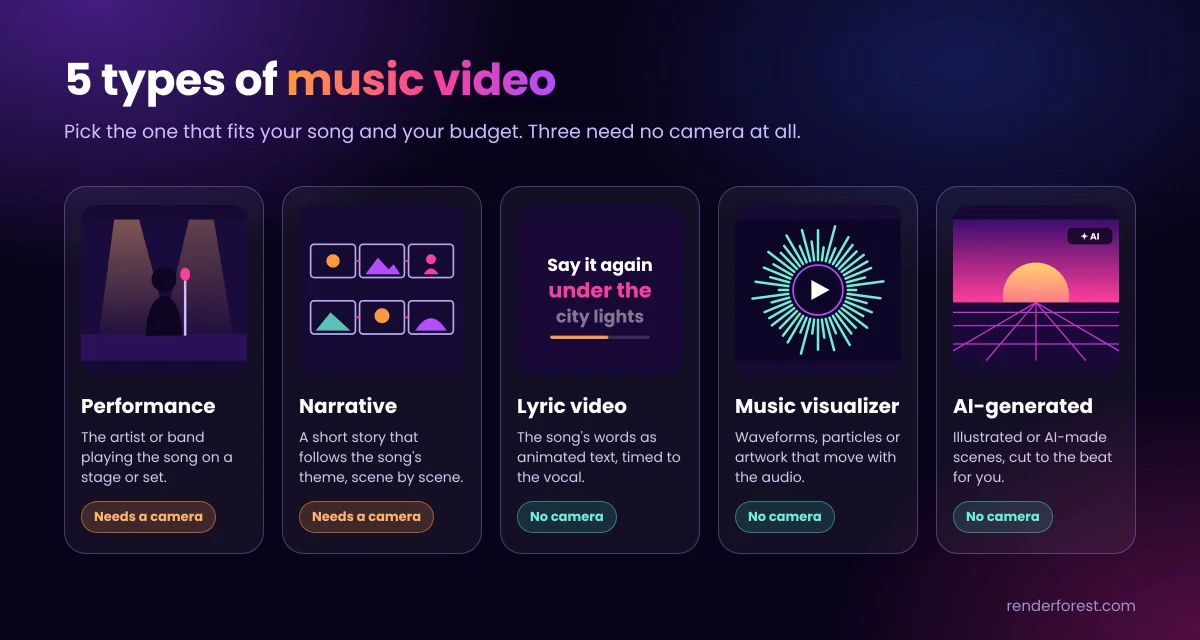
There are five common approaches:
- Performance: The artist or band plays the song for camera. It suits live energy, bands and rap, and requires footage.
- Narrative: A short story develops alongside the track. This fits songs with an emotional arc or a strong theme, and usually requires a camera and locations.
- Lyric video: Animated words appear in time with the vocal. It works well for singles and memorable hooks, without filming.
- Music visualizer: Waveforms, particles or artwork move with the sound. It’s a natural fit for electronic, lo-fi, instrumental and podcast audio.
- Animation or AI-generated video: Illustrated or generated scenes are cut to the music. This can suit concept-led tracks and artists who don’t want to appear on camera.
A smaller release can begin with a visualizer or lyric video, with a filmed production added later if the track finds an audience. The format should serve the music; production scale alone doesn’t make a visual idea stronger.
Build a shootable concept
Listen to the finished track several times and note its mood, colors and images. A concept usually works better when it follows the song’s emotional character instead of illustrating every lyric literally. Reduce the idea to one sentence. “A night drive through an empty city that slowly fills with light” gives a team a usable direction for locations, lighting and shot choices.
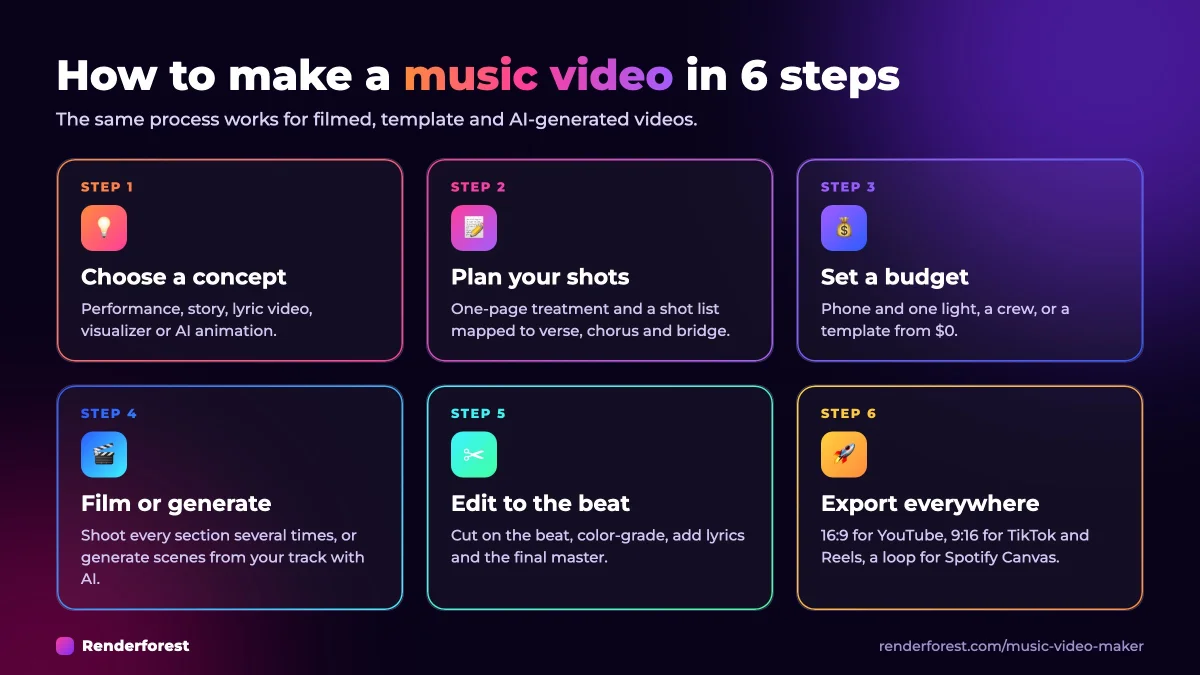
Turn that sentence into a one-page treatment. Describe the central idea, visual style, locations and key moments. Then make a rough storyboard and a shot list. Map the shots to the intro, verses, choruses, bridge and outro so the plan accounts for the whole track, including changes in energy.
A practical shot list also helps create material for multiple edits. Include wider shots that establish a setting, medium shots that show action, and close-ups that can carry emotion or become a vertical teaser. If a visual hook returns with the chorus, plan to repeat the image as well; that gives viewers a detail they can recognize in short clips.
Budget for the image you need
Set a spending limit before booking people, locations or equipment. A phone, natural light and one strong location can be enough for a DIY production. When there’s room in the budget, lighting is often a more useful first purchase than a new camera: it shapes the image and helps footage from a modest camera look intentional.
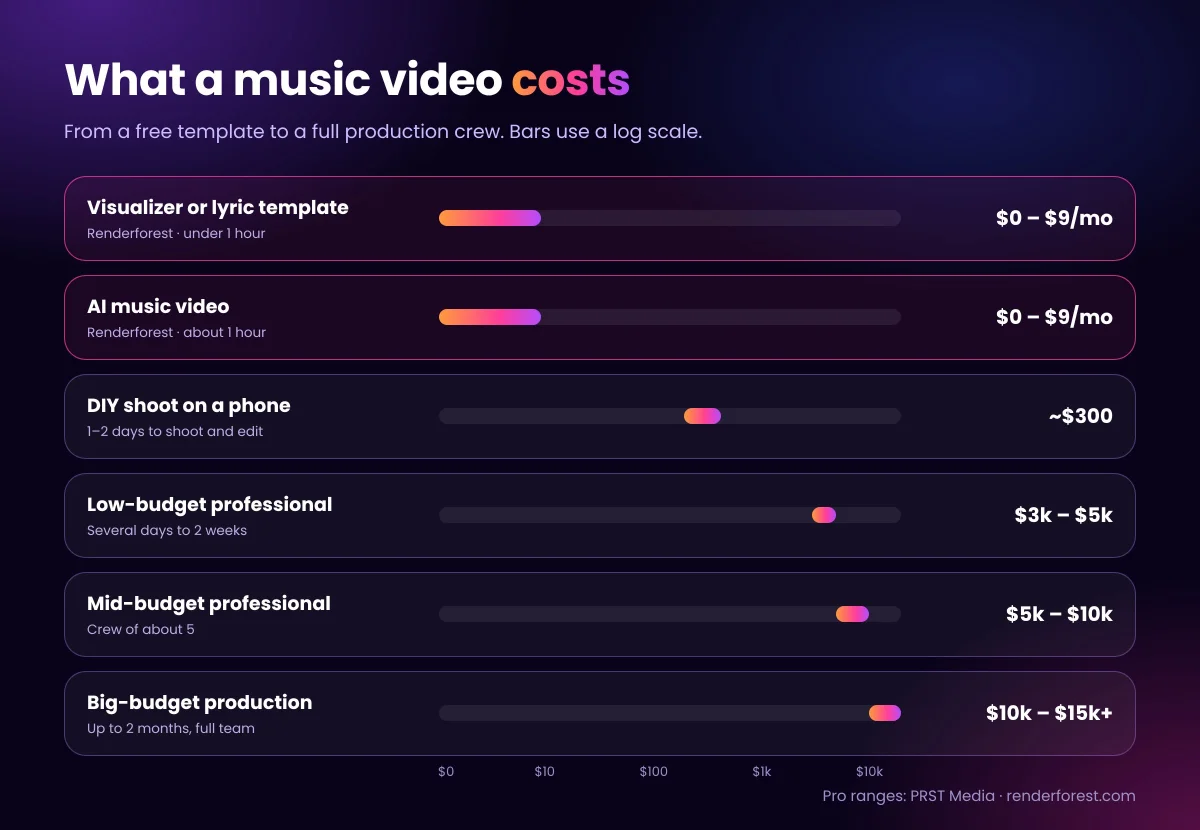
Costs vary with crew size, shoot days, locations and post-production. A template-based visualizer or lyric video can start at no cost, with paid plans listed from $9 per month when billed annually. A phone-based DIY shoot is estimated at about $300 for food, props and materials, with one or two days for filming and editing. Professional productions range from $3,000–$5,000 for a low-budget project to $5,000–$10,000 for a mid-budget production; larger productions can reach $10,000–$15,000 or more.
The time commitment rises with the production. A simple self-shot video can be planned, filmed and edited in one or two days. A mid-budget project may use one or two shoot days, plus planning and post-production. At the high end, planning can take up to 30 days, filming seven days and post-production another month. These are broad ranges, so the actual schedule depends on the concept and team.
Film for the edit
On set, play the finished track aloud so performers can lip-sync to the correct recording. Film each section more than once and vary the angle: wide, medium and close-up coverage gives the editor options when matching the image to the music. Leave a few seconds at the start and end of each take. Those handles make it easier to place cuts without losing the performance.
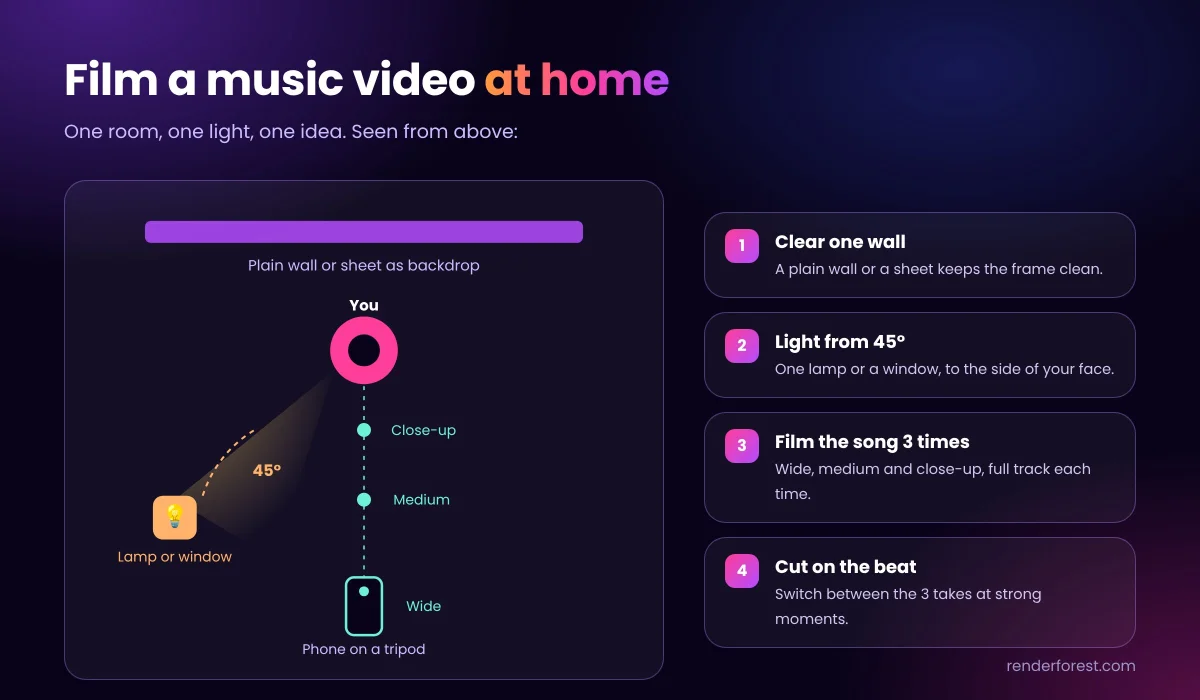
Check the lighting before the first take. For a simple home setup, clear one wall or hang a plain sheet as a backdrop. Place a lamp or window light roughly 45 degrees from the performer’s face, then record the song in wide, medium and close framing. Cutting between those passes on musical beats can create variety without changing rooms or building a set.
A recent smartphone can record 4K footage suitable for YouTube and social platforms. Lock exposure so the image doesn’t shift during a take, choose landscape framing for a full YouTube video or vertical framing for social clips, and stabilize the phone on a tripod or gimbal. Natural light or a single LED panel can provide the illumination. Footage can be edited on the phone or in an online editor.
If there isn’t enough footage—or the artist doesn’t want to film—the missing images can come from generated scenes, a lyric template or a visualizer. That keeps the release moving while allowing the artist to choose how much of the finished video is based on live footage.
Edit to the music, then prepare platform versions
Begin with a rough cut that follows the shot list. Refine it by placing changes on beats or strong vocal moments, so the picture feels connected to the track. Apply a consistent color treatment across clips, add lyrics or titles where they serve the idea, and replace camera audio with the final master recording.
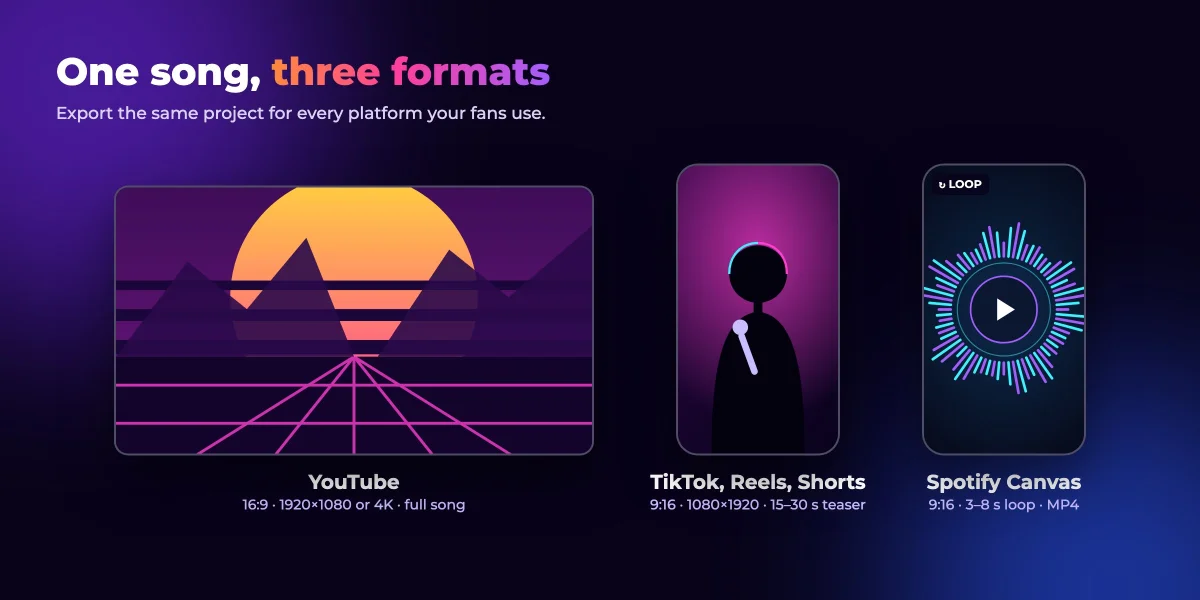
Export a 16:9 master for YouTube at 1920×1080 or 3840×2160. From the same project, make 9:16 excerpts for Shorts, TikTok and Reels. A 15–60 second vertical cut gives the hook room to play, though a 15–30 second teaser is a common target for TikTok. Spotify Canvas calls for a 3–8 second vertical loop; avoid singing or lip-sync shots in that version.
| Platform | Aspect ratio | Suggested resolution | Length guidance |
|---|---|---|---|
| YouTube full video | 16:9 | 1920×1080 or 3840×2160 | Full song |
| YouTube Shorts | 9:16 | 1080×1920 | Up to 3 minutes |
| TikTok | 9:16 | 1080×1920 | Up to 10 minutes in app; 15–30 seconds is suggested for a teaser |
| Instagram Reels | 9:16 | 1080×1920 | Up to 20 minutes; clips over 3 minutes aren’t recommended for reaching new audiences |
| Spotify Canvas | 9:16 | 720–1080 pixels tall, MP4 | 3–8 second loop |
Check current platform specifications before export, since limits and recommendations can change. Prepare a thumbnail and a searchable title for the full upload, put the lyrics in its description, and include links to streaming services. The first three seconds of a vertical clip matter: lead with the hook rather than a slow introduction.
Make a video without a camera
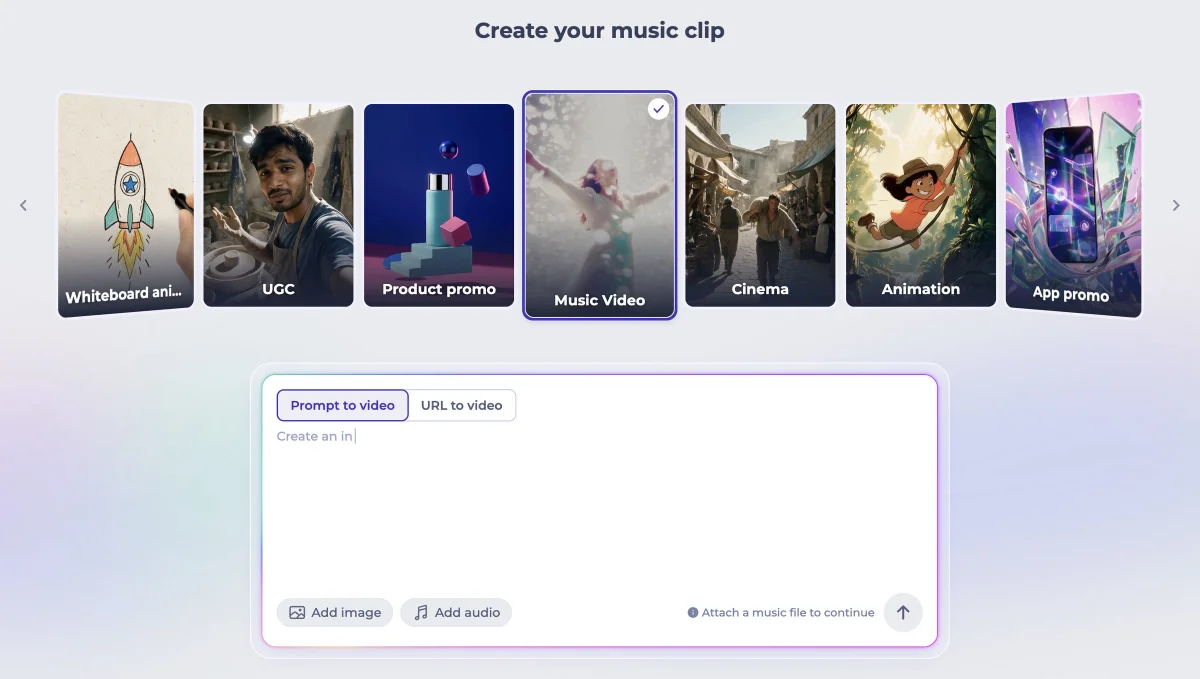
A finished MP3 or WAV can become a video through three main workflows. A visualizer or lyric template gives the artist direct control over artwork, type and color. A song-to-video generator can analyze a track and build a sequence of scenes. A clip-by-clip process gives more control: generate short shots from text or images, then arrange them manually in an editor.
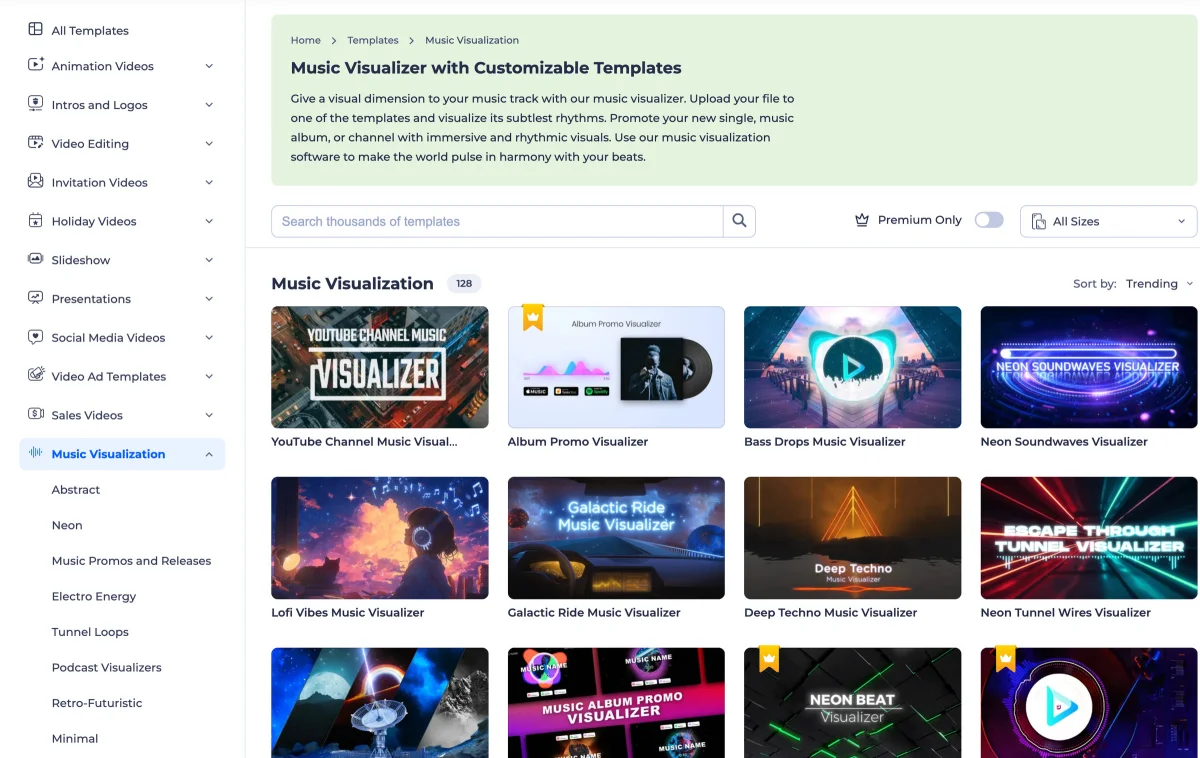
Template workflows are the quickest. A music video maker can take an audio file, cover art and a logo, then let the user choose a template, title, artist name, colors and fonts. One service’s visualizer library lists 128 templates, including waveform, spectrum bar, circular, particle and lyric typography styles. The finished project can be previewed and exported in a landscape or vertical format, with resolutions up to 4K depending on the plan.
For a lyric video, start with a lyric-focused template and replace its words, or generate scenes and add lyrics as editable subtitles. Choose a typeface and motion style that fit the genre, then align each line with the vocal. For an audio visualizer, the motion and graphics carry the song, so cover art and a clear title can do much of the identifying work.
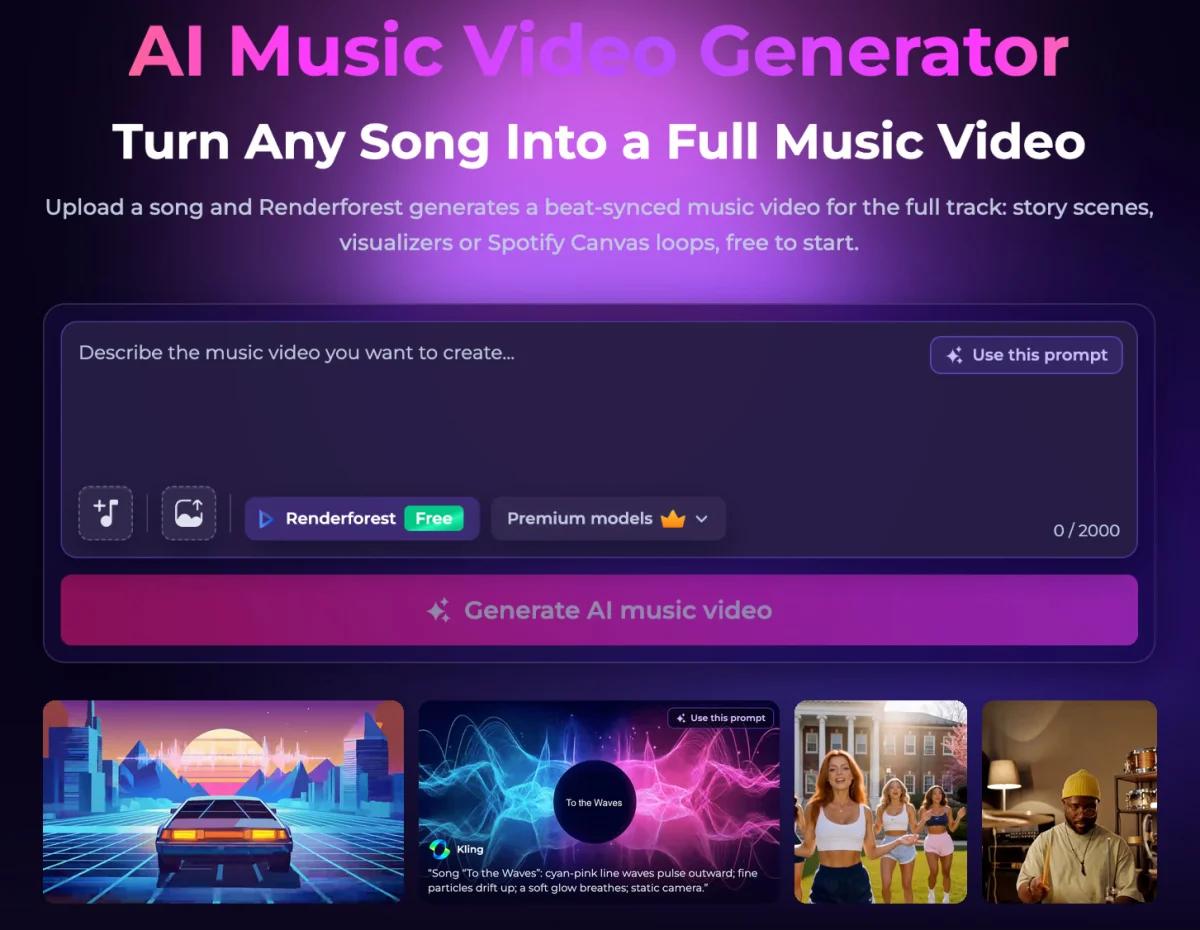
Song-to-video tools automate more of the process. The described workflow is to upload the track, select the portion to use, and write a prompt of up to 2,000 characters or choose a genre preset such as hip-hop, EDM, lo-fi, rock, pop, R&B, indie or ambient. Reference images can help keep a face, logo or location consistent across scenes. After choosing an aspect ratio and generation model, review the proposed storyboard before generating. Subtitles can be added as editable text, and scenes can be swapped, adjusted with plain-language instructions or extended before export.
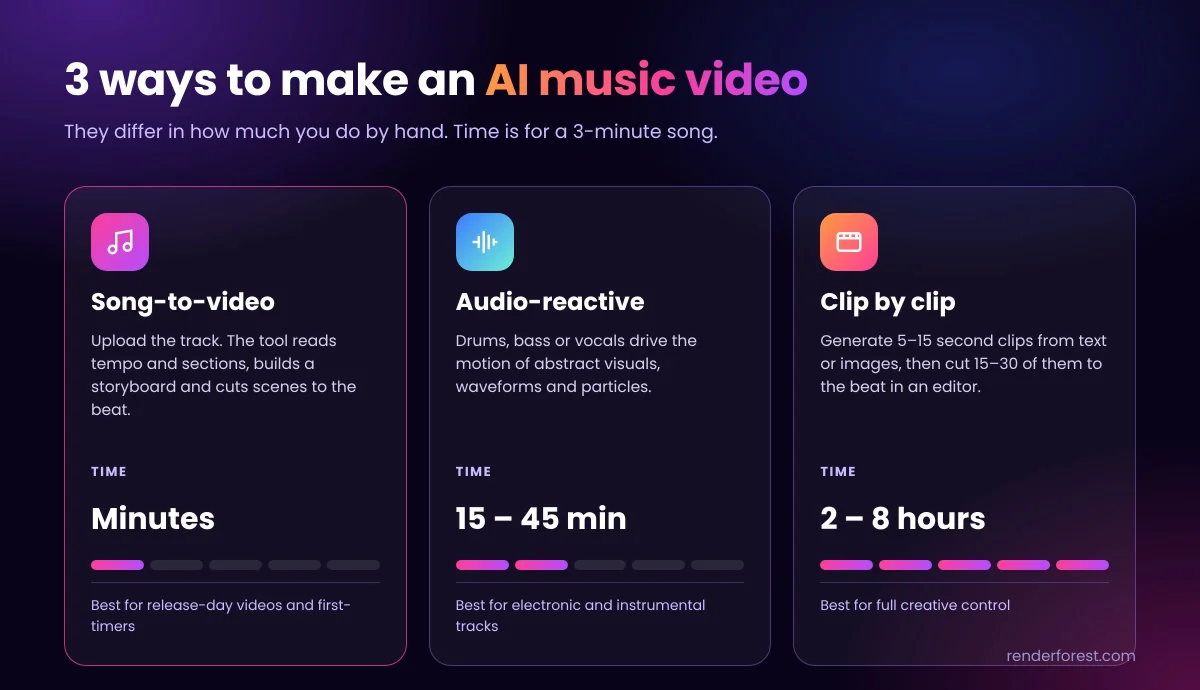
There are trade-offs between three AI workflows. Automatic song-to-video systems read tempo and song sections, propose a storyboard and generate scenes in minutes for a three-minute track. Audio-reactive systems use elements such as drums, bass or vocals to drive abstract motion; a project may take 15–45 minutes. Manual clip-by-clip work can involve generating 15–30 clips of 5–15 seconds each and cutting them to the beat, a process estimated at two to eight hours. That last approach offers more control and can combine generated shots with real footage.
Other tools serve narrower roles: Neural Frames makes audio-reactive video from separated stems; Freebeat offers beat-synced video with lip-synced performance; Runway focuses on shot-by-shot generation and editing without audio analysis; Kling and Veo generate individual clips from text or images; Suno creates songs that can then be exported and used in a video tool. OpenAI’s Sora, which was used for several known AI music videos, shut down in 2026 and is no longer available.
Keep a human idea in AI-assisted work
AI-generated scenes can help artists build a setting that would be difficult to film, but the edit still needs a point of view. Several known projects show different uses: Linkin Park’s “Lost” (2023) used Kaiber in an anime style; Washed Out’s “The Hardest Part” (2024) was made entirely with OpenAI Sora; and Wu-Tang Clan and Mathematics’ “Mandingo” (2025) used Google Veo 2. Some of these projects drew criticism from fans. A useful approach is to start with a specific human concept, use generated imagery where it supports that concept, and shape the result through selection and editing instead of publishing the first output.
Platform disclosure requirements depend on the content and service. YouTube requires disclosure when altered or synthetic material appears realistic; clearly fantastical animation doesn’t need the same disclosure, and the platform says disclosure does not limit reach or monetization. TikTok also requires labels for realistic generated images, audio or video, and says labeling does not affect distribution. Spotify permits AI voice clones of another artist only with that artist’s permission. In the United States, prompts alone don’t establish authorship of an AI clip, while a person’s selection, arrangement and editing may be protectable. For commercial releases, check that the plan you use includes commercial rights.
Choose a release kit, not just a master
One song can produce a full-length video, a visualizer for YouTube, short vertical teasers and a Canvas loop. The visual idea should survive those crops: place the performer or key action where it remains visible in a vertical frame, and give the chorus a repeatable image that can anchor a short edit.
Examples from established videos point to practical choices. Gotye’s “Somebody That I Used To Know” relies largely on two performers and body paint, showing how a single strong visual can carry a production. Gorillaz built its identity around animated band members, illustrating how characters can stand in for on-camera performers. Repeating a visual element when the musical hook returns helps viewers recognize the clip, while motion and cuts placed on the beat can make even simple graphics feel deliberate.
For the fastest route, use a template and prepare the audio, cover art and title before opening the editor. For a more personal production, keep the treatment focused, plan coverage by song section and make time to review the cut. Either way, think through the full-length video and its platform edits before filming or generating the first scene.
FAQ
How do I make my own music video?
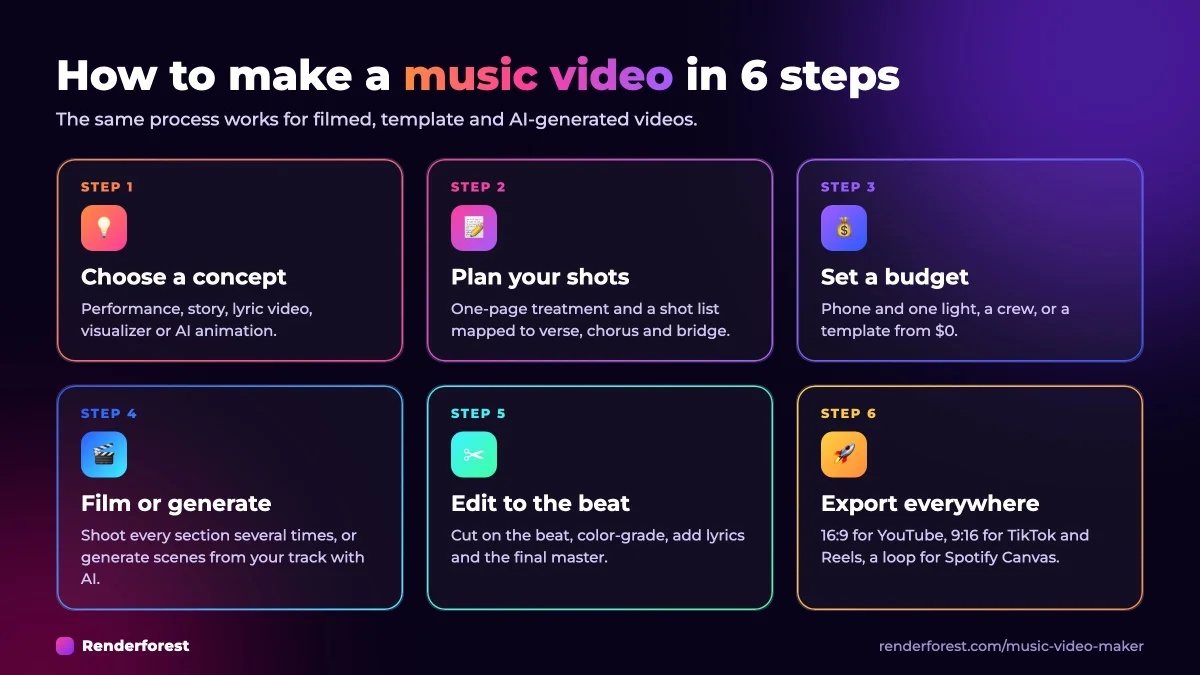
Choose a concept, write a treatment and shot list, then film or generate the visuals. Edit the images to the beat, replace camera audio with the finished track, and export versions for each platform. Without a camera, use a visualizer, lyric template or AI video workflow.
What app do I need?
Any video editor can cut filmed footage. To build a video from a song alone, use a visualizer, lyric video or song-to-video tool. A browser-based editor can handle the workflow without requiring conventional editing experience.
Can I use a song made with Suno?
Yes. Export the audio as MP3 or WAV, then upload it to a video tool. The audio can be analyzed and edited in the same way as another finished track.
How long does production take?
A template or automated AI video can take under an hour. A simple self-shot video may need one or two days for filming and editing. Professional productions can take one or two weeks, while larger projects may extend across planning, a week of filming and a month of post-production.
How long should the video be?
The main video usually runs for the full song, commonly 2.5–4 minutes. Also prepare vertical clips of 15–60 seconds for social platforms and a 3–8 second loop for Spotify Canvas.
Can I make one for free?
Yes. A phone and free editing app can cover a basic shoot, and some online tools let users build and preview a project without paying. Check export restrictions: free plans may add a watermark, limit resolution or allow personal use only.
Do I need editing skills for an AI music video?
Automatic song-to-video tools can build a storyboard, generate scenes and cut them to the track. Reviewing the result and replacing weak scenes still matters; the available controls vary by tool.
What’s the difference between a music video, lyric video and visualizer?
A music video uses filmed or animated scenes. A lyric video presents the words as animated text, while a visualizer uses graphics such as waveforms or particles that respond to the audio. The latter two can be made without filming.